
Home · SOP library · Shimadzu LCsolution
VA-SOP-LC-002 · Standard operating procedure
Creating a report format with letterhead, sample information and sign-off footer in LCsolution
Step-by-step SOP with screenshots to build an LCsolution report format with company letterhead, sample information, chromatogram and a signed footer, then PDF.
| SOP No. | VA-SOP-LC-002 |
|---|---|
| Revision | 00 |
| Effective date | 30 October 2026 |
| Review date | 30 October 2027 |
| Software | Shimadzu LCsolution 1.25 (Postrun Analysis), LC-2010 series HPLC |
1Purpose
To create a reusable LCsolution report format (.lsr) that prints the laboratory letterhead, sample information, chromatogram, peak table and a Performed / Reviewed / Approved footer on one A4 page.
2Scope
Applies to LCsolution 1.2x Postrun → Report Format for routine analysis, system suitability and qualification reports.
3Responsibility
- Analyst — performs the procedure and records results.
- QC reviewer — verifies the output against the acceptance criteria.
- Lab in-charge / system administrator — controls method and report-format files and user rights.
4Definitions and abbreviations
| Report Format (.lsr) | File that stores report layout and items. |
|---|---|
| Picture item | Report item that prints a bitmap/JPEG at a fixed position in millimetres. |
5Prerequisites and materials
- Letterhead image (about 190 mm wide) and footer/sign-block image as BMP or JPG.
- A processed data file to preview the layout.
- PDF printer installed.
6Safety and precautions
- Work on a copy of data and method files until the change is approved.
- Never delete or overwrite raw data (.lcd) to obtain a passing result; every change must be traceable.
- Follow the laboratory's data-integrity and audit-trail SOP when LCsolution security is enabled.
7Procedure
-
7.1
Insert the letterhead picture
Postrun → Report Format → Item → General → Picture. In Properties type the position and size in mm, click Browse and select the letterhead image.
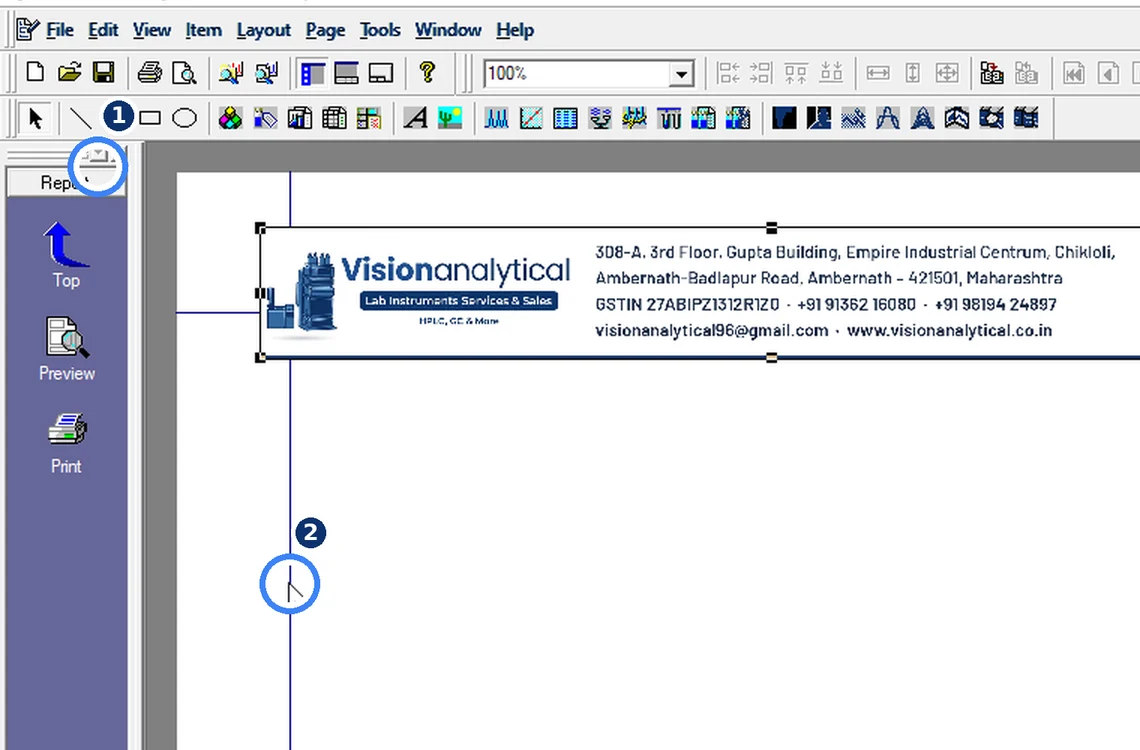
Fig. 7.1 — Insert the letterhead picture -
7.2
Add Sample Information
Item → Common → Sample Information — sample name, data file, method, dates.
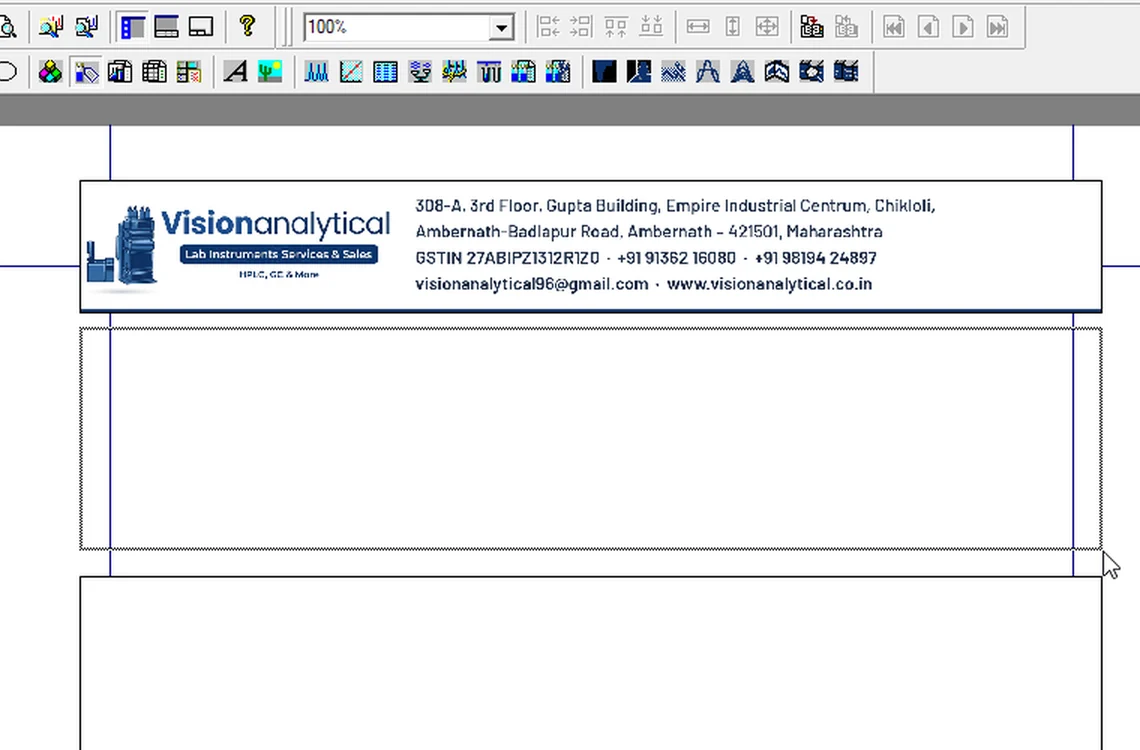
Fig. 7.2 — Add Sample Information -
7.3
Add the footer picture
Insert a second Picture at the bottom of the page with the Performed by / Reviewed by / Approved by block. Add Chromatogram and Peak Table items between header and footer.
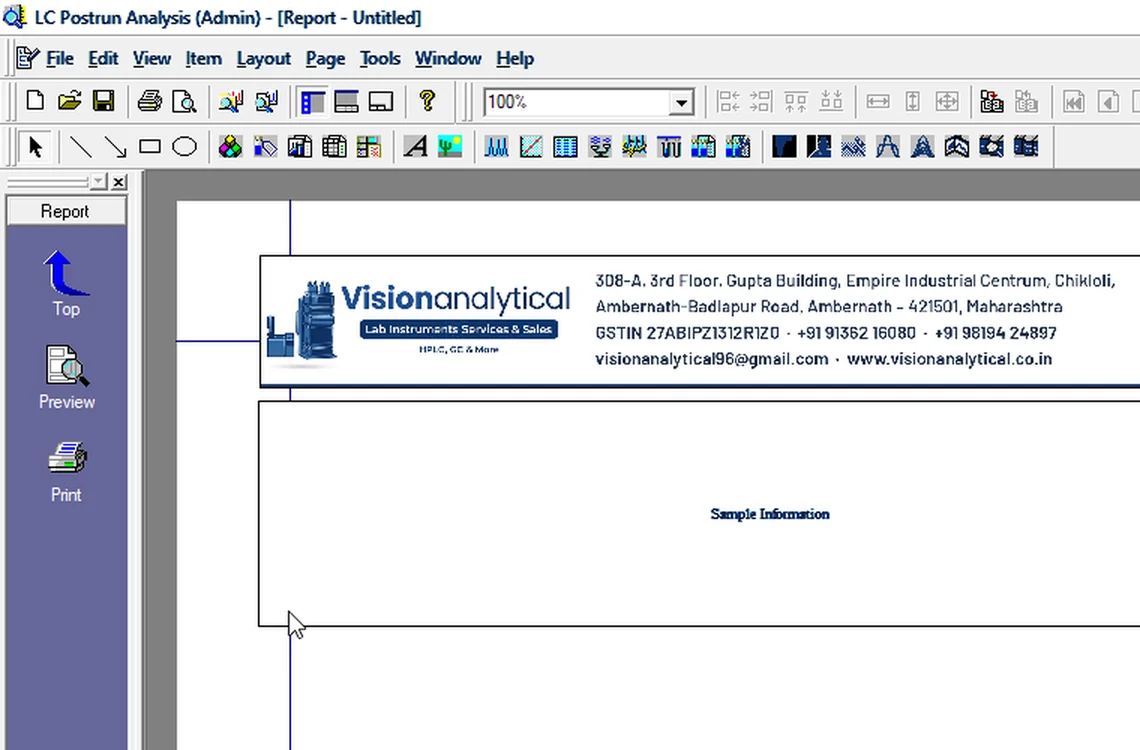
Fig. 7.3 — Add the footer picture -
7.4
Save the format
Check View → Item List, then File → Save Report Format File As → VA_Report.lsr.
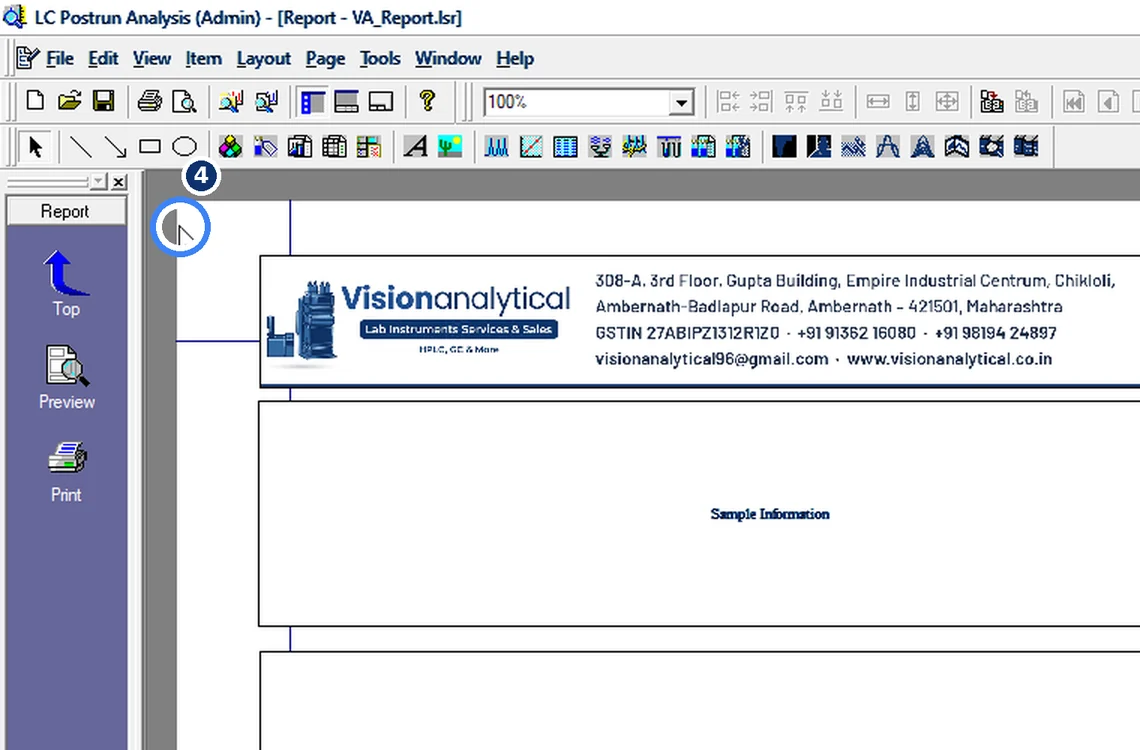
Fig. 7.4 — Save the format -
7.5
Load a data file
File → Load Data File — every item fills in automatically.
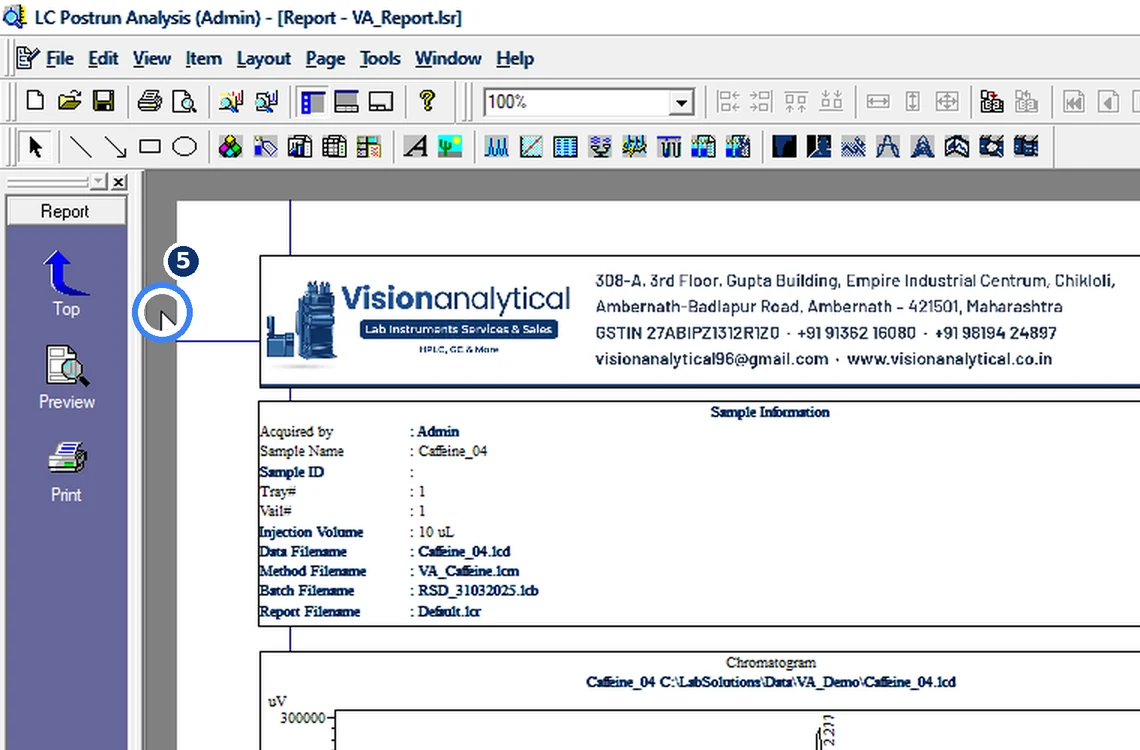
Fig. 7.5 — Load a data file -
7.6
Fix a cut-off header
If the PDF header is clipped: File → Page Setup → set all margins to 0.
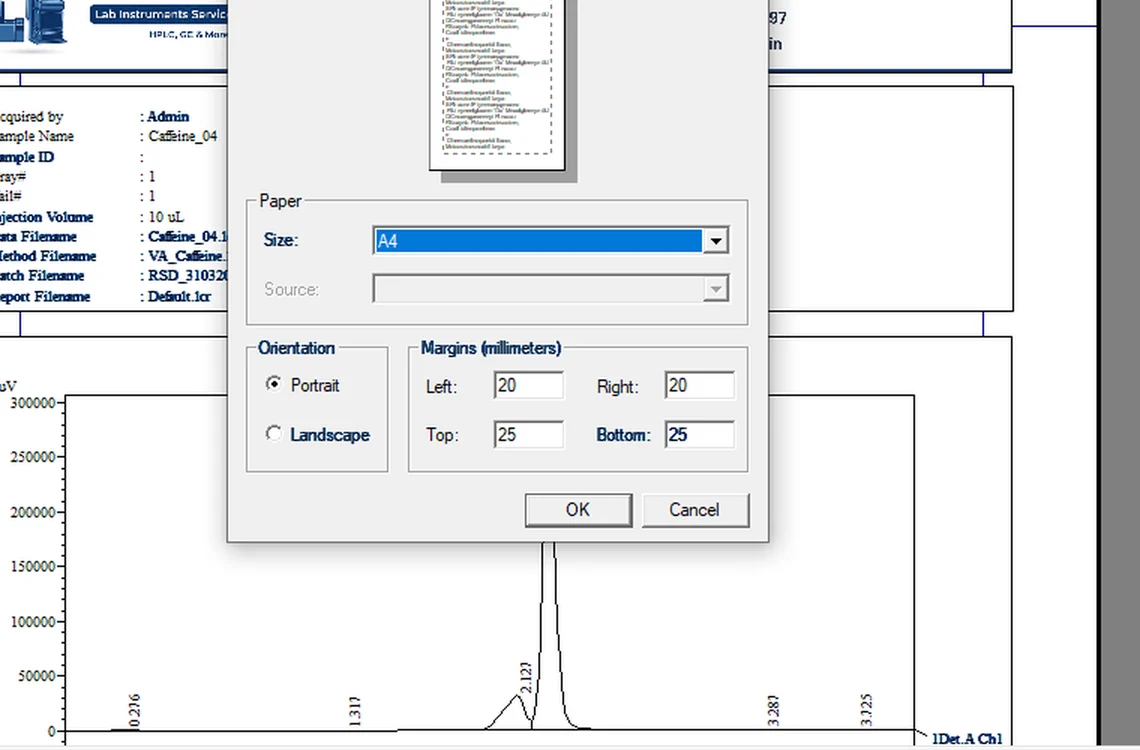
Fig. 7.6 — Fix a cut-off header -
7.7
Print to PDF
File → Print → Microsoft Print to PDF → Save.
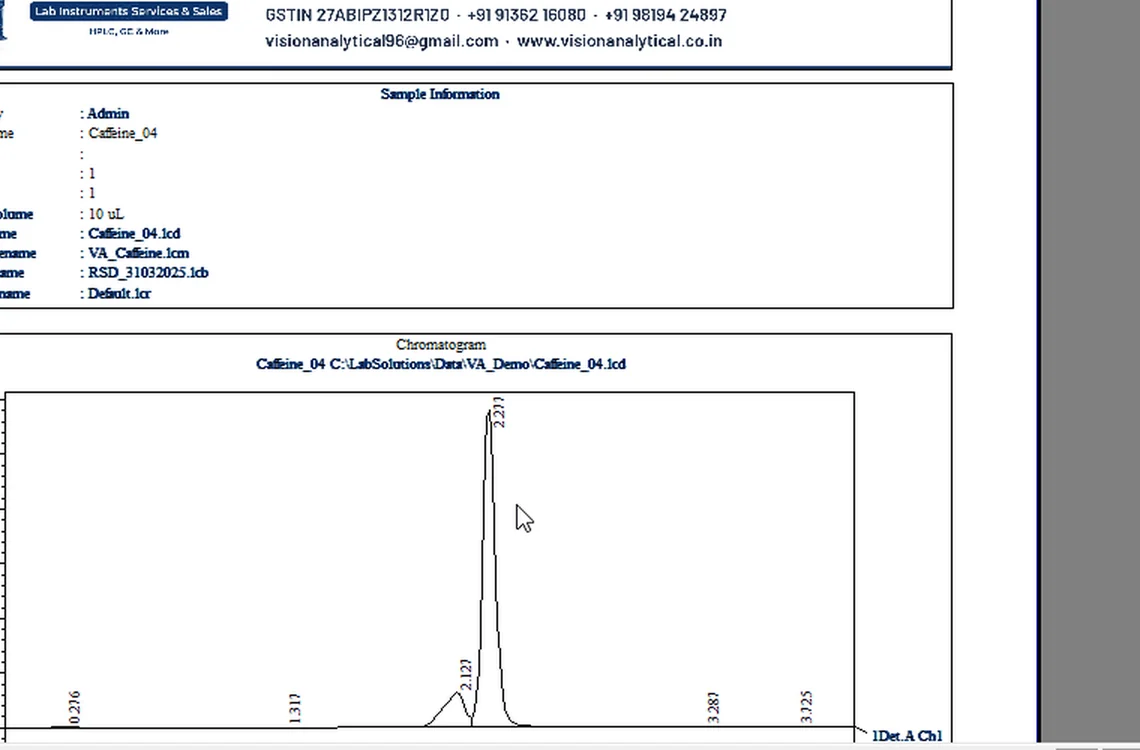
Fig. 7.7 — Print to PDF -
7.8
Check the final page
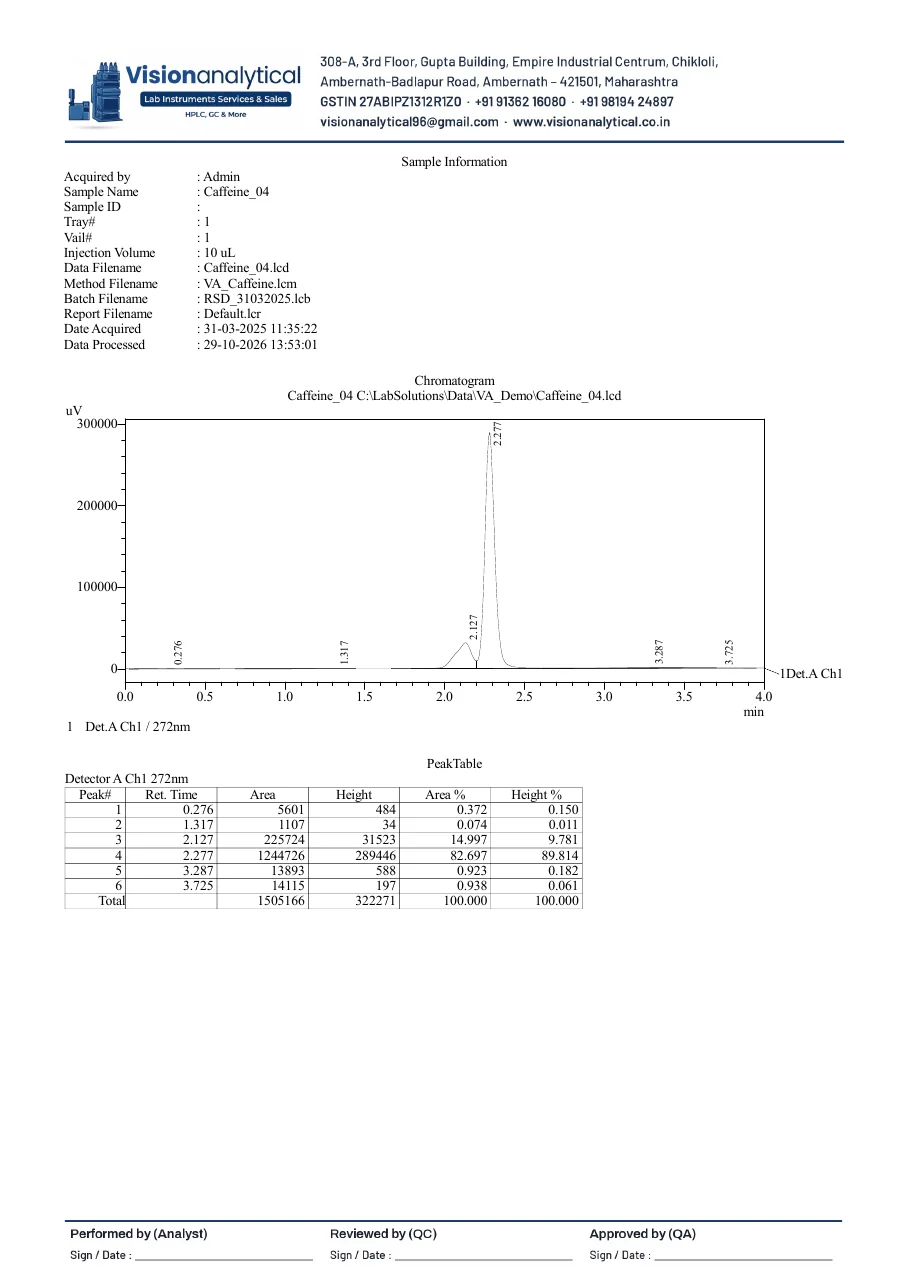
Letterhead, chromatogram, peak table and sign-off footer on one A4 page.
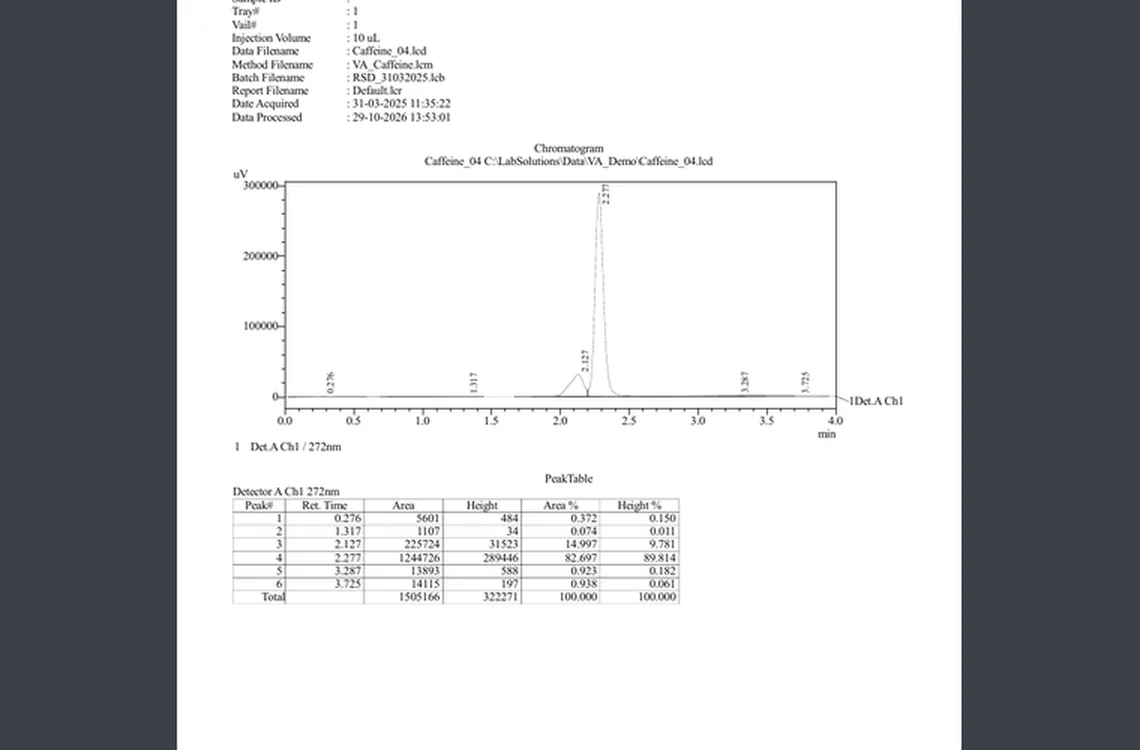
Fig. 7.8 — Check the final page
8Acceptance criteria and interpretation
- Letterhead at the top, sign-off block at the bottom, nothing cut at the page edges.
- Sample Information shows sample name, data file, method file, acquisition and processing dates.
- Loading any other data file fills the same layout automatically.
9Troubleshooting and common errors
| Symptom | Cause and fix |
|---|---|
| Header cut off in the PDF | File → Page Setup: set margins to zero and position the picture in millimetres from the page edge. |
| Dragging a new item moves an existing one | Start the drag on an empty part of the page, then fine-tune position in the item Properties. |
| Picture prints blurred | Use an image at least 150 dpi at its printed size; avoid enlarging small logos. |
10References
- Shimadzu LCsolution Ver. 1.2x — Operation and Help documentation.
- USP <621> Chromatography.
- ICH Q2(R2) Validation of Analytical Procedures.
11Revision history
| Rev. | Date | Change |
|---|---|---|
| 00 | 30 October 2026 | First issue, written from the October 2026 screen recording. |
12Annexures
Frequently asked
How do I add a letterhead to an LCsolution report?
In Report Format choose Item → General → Picture, type the position in mm and browse your letterhead image. Save the format and use it for every report.
Why is the LCsolution PDF header cut off?
The printer margins clip it. Set the margins to zero in File → Page Setup and place the picture inside the printable area.
Video version: LCsolution — Your report has no letterhead? (October 2026) — on our Instagram and YouTube.
Related SOPs
Vision Analytical is an independent service provider, not affiliated with Shimadzu Corporation or Waters Corporation. LCsolution and Empower are trademarks of their respective owners. Screenshots are from our own demonstration systems with demonstration data. Last updated 30 October 2026.