
Home · SOP library · Shimadzu LCsolution
VA-SOP-LC-010 · Standard operating procedure
Single run and batch (sequence) set-up in LCsolution without overwriting data files
SOP with screenshots: set up LCsolution single runs and batch tables with unique data file names, the Batch Wizard, Start Row and the Batch Queue.
| SOP No. | VA-SOP-LC-010 |
|---|---|
| Revision | 00 |
| Effective date | 30 October 2026 |
| Review date | 30 October 2027 |
| Software | Shimadzu LCsolution 1.25 (Postrun Analysis), LC-2010 series HPLC |
1Purpose
To acquire single injections and sequences in LCsolution so that every injection gets its own data file and calibration is handled correctly.
2Scope
Applies to LCsolution 1.2x Realtime Analysis — Single Start and Batch Table.
3Responsibility
- Analyst — performs the procedure and records results.
- QC reviewer — verifies the output against the acceptance criteria.
- Lab in-charge / system administrator — controls method and report-format files and user rights.
5Prerequisites and materials
- Instrument connected and equilibrated.
- Method file saved and verified.
6Safety and precautions
- Never reuse a data file name: an overwritten .lcd file cannot be recovered and is a data-integrity deviation.
7Procedure
-
7.1
Single run
Single Start: check the Method File and keep Auto Increment ticked — the file becomes Caffeine_Std1.lcd, Std2 … automatically.
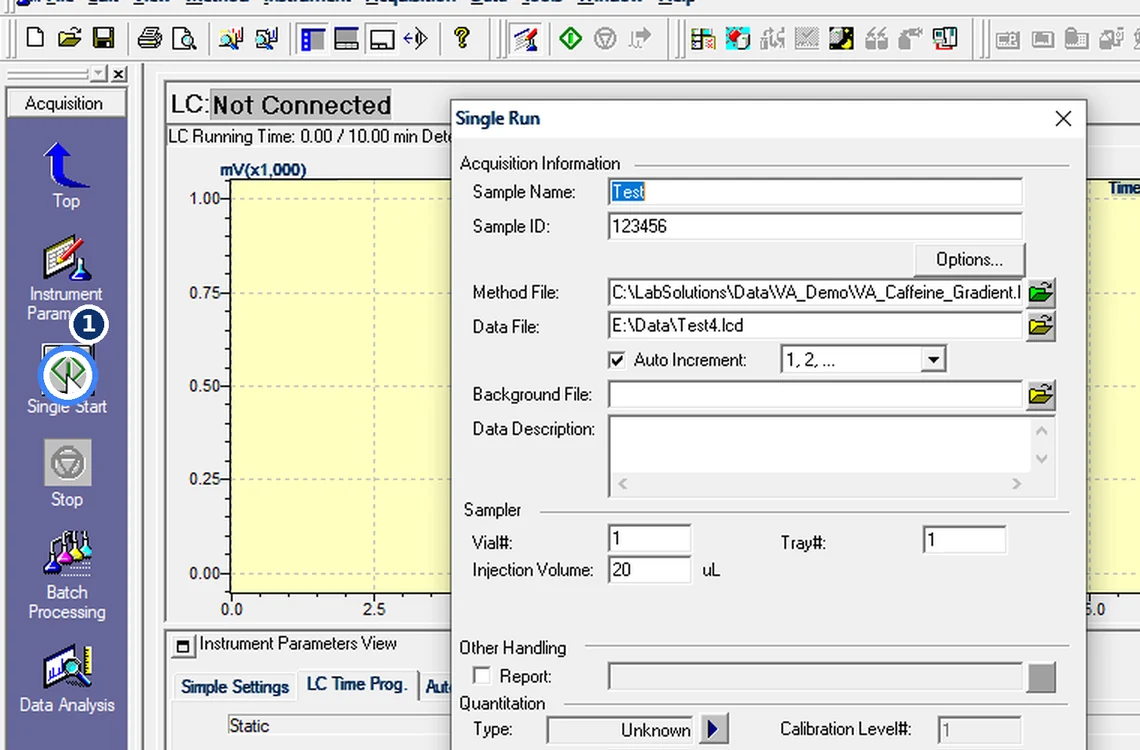
Fig. 7.1 — Single run -
7.2
If the run waits
Message [1a0f]: instrument not ready, run placed in the Batch Queue (Acquisition → Display Batch Queue).
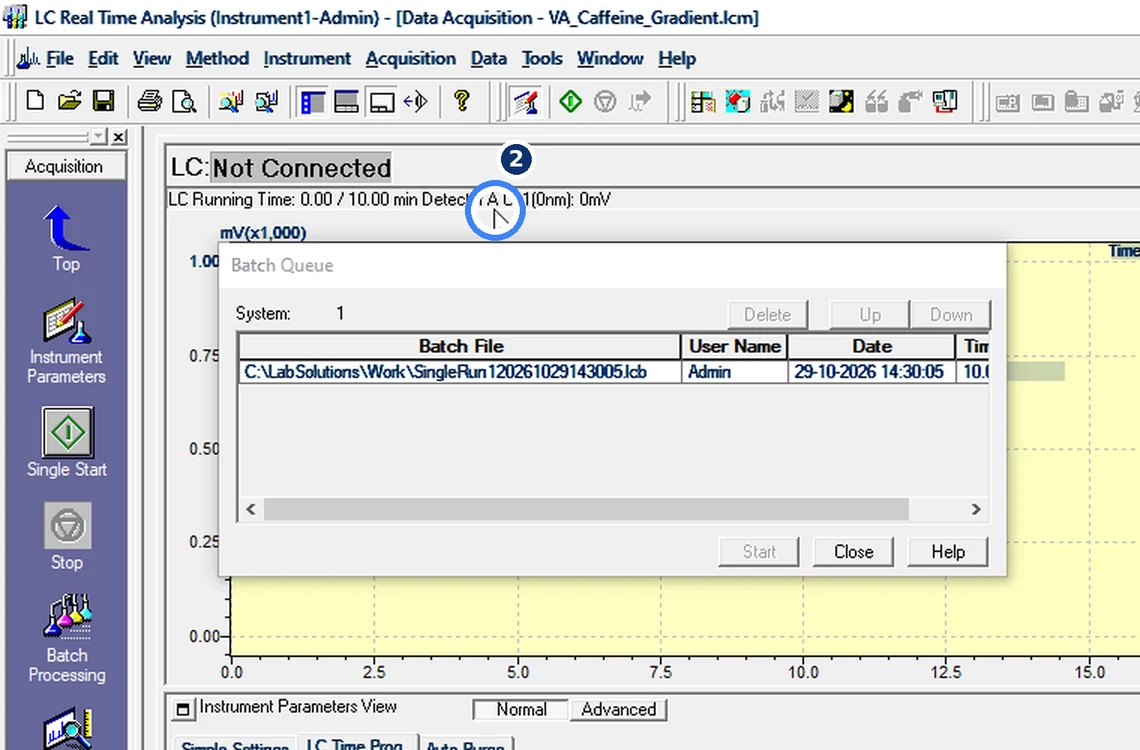
Fig. 7.2 — If the run waits -
7.3
Batch Wizard
Injection volume, Standard and Unknown rows, five levels, Clear all calibrations at the beginning.
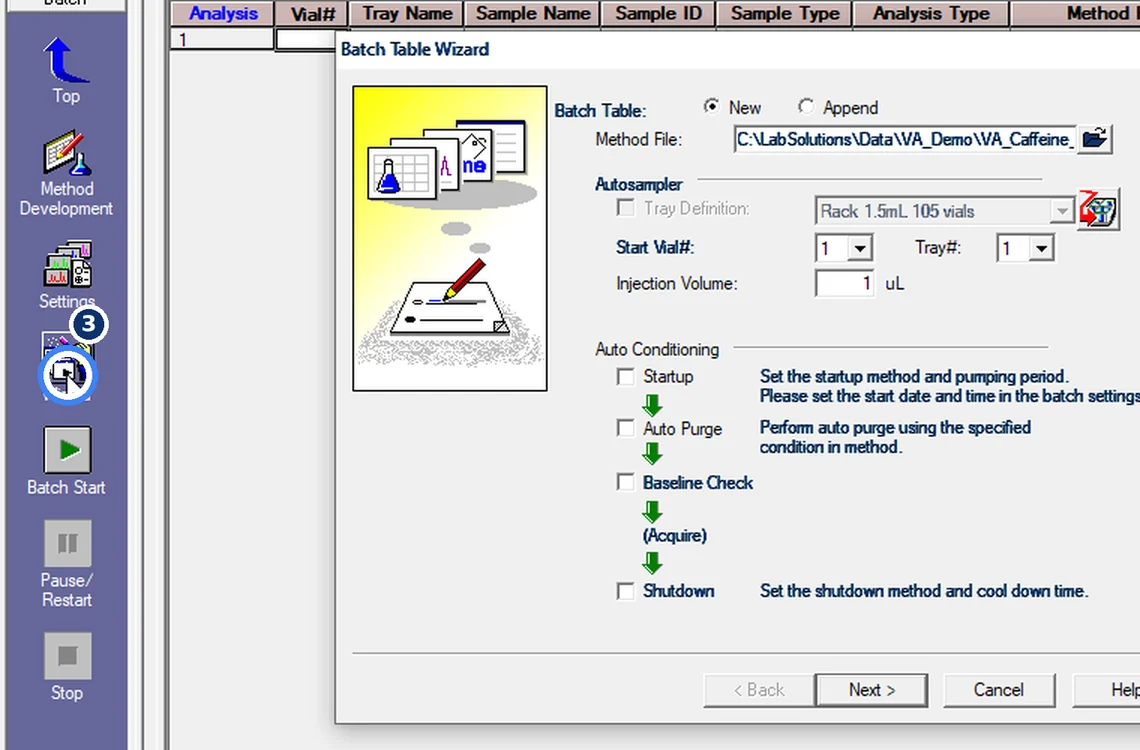
Fig. 7.3 — Batch Wizard -
7.4
Read the Data File column
The first standard = Standard(I) resets calibration. Check every data file path.
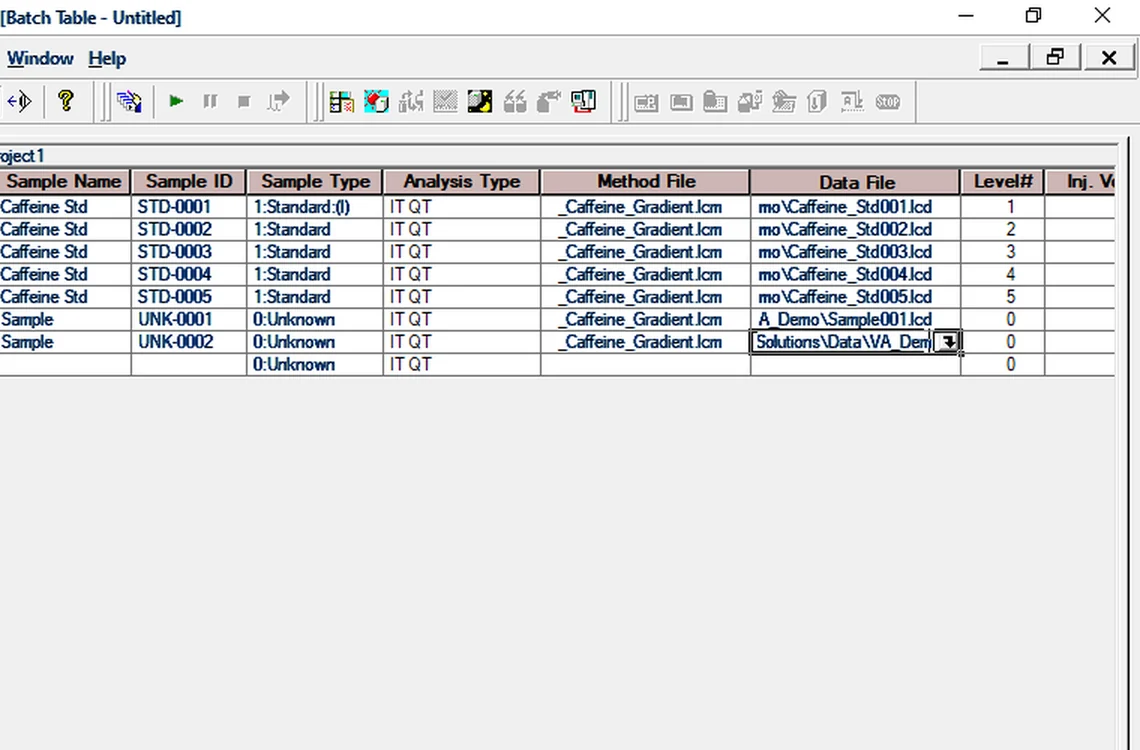
Fig. 7.4 — Read the Data File column -
7.5
Copy-paste trap
A copied row keeps the same data file name → overwrite. Give each row its own name.
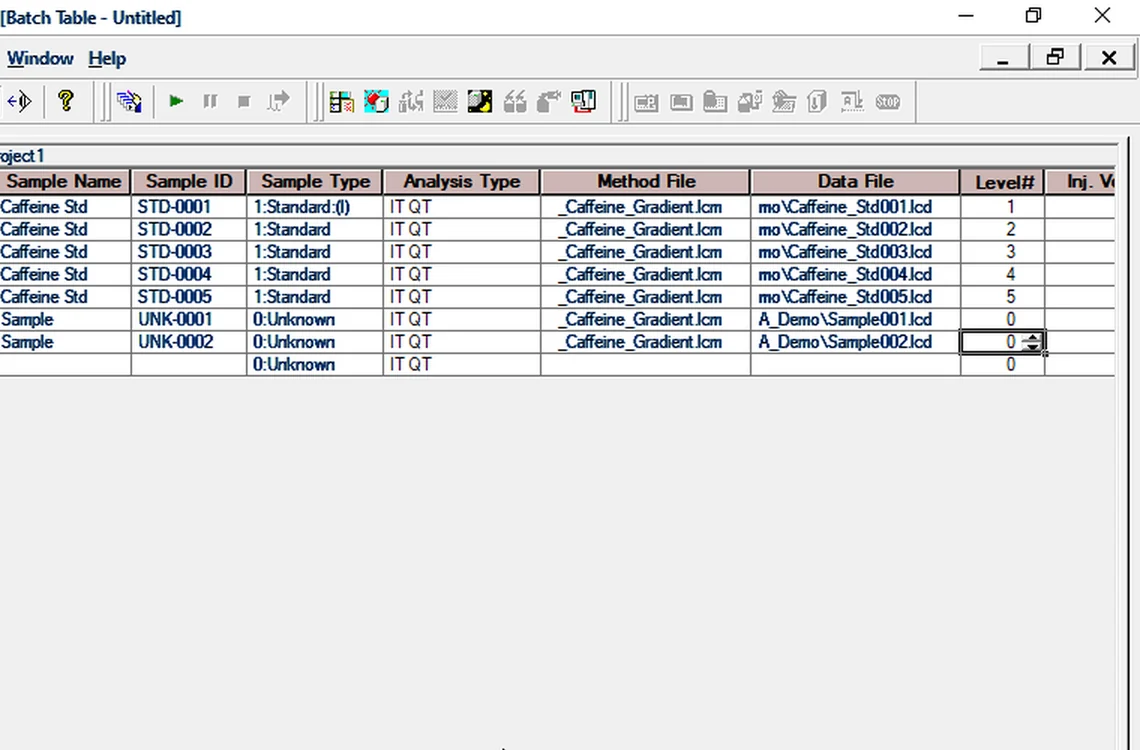
Fig. 7.5 — Copy-paste trap -
7.6
Save and start
Save the batch; use Settings → Start Row to restart from a row and Data Filename for automatic unique names.
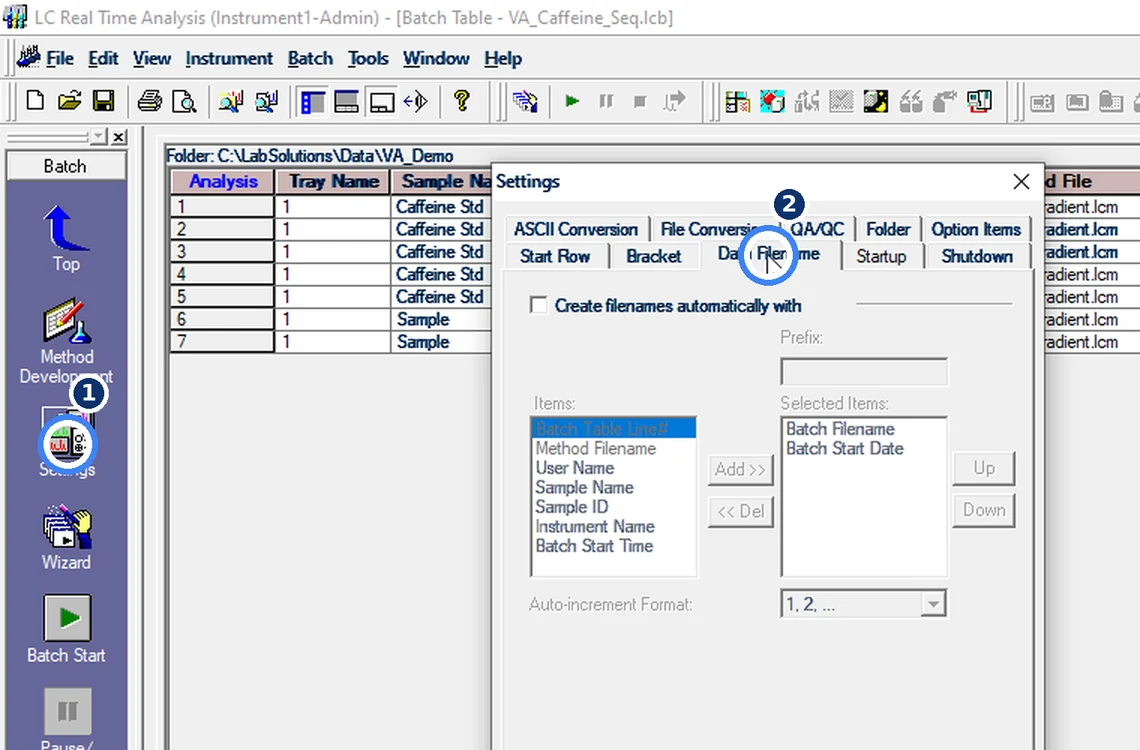
Fig. 7.6 — Save and start
8Acceptance criteria and interpretation
- Every row has a unique Data File path; the first standard row is Standard(I) when calibration must reset.
- Batch saved before start.
9Troubleshooting and common errors
| Symptom | Cause and fix |
|---|---|
| Run waits and does not start | Instrument not ready — message [1a0f]. The run sits in Acquisition → Display Batch Queue; delete it there if queued by mistake. |
| Data file overwritten | Rows were copy-pasted with the same file name. Use Settings → Data Filename for automatic unique names. |
| Batch stopped midway | Settings → Start Row restarts from the row you choose. |
10References
- Shimadzu LCsolution Ver. 1.2x — Operation and Help documentation.
- USP <621> Chromatography.
- ICH Q2(R2) Validation of Analytical Procedures.
11Revision history
| Rev. | Date | Change |
|---|---|---|
| 00 | 30 October 2026 | First issue, written from the October 2026 screen recording. |
Frequently asked
Why did LCsolution overwrite my data file?
Two batch rows had the same Data File name, usually after copy-paste. Give each row a unique name or use automatic Data Filename.
Video version: LCsolution — Your data file got overwritten? (October 2026) — on our Instagram and YouTube.
Related SOPs
Vision Analytical is an independent service provider, not affiliated with Shimadzu Corporation or Waters Corporation. LCsolution and Empower are trademarks of their respective owners. Screenshots are from our own demonstration systems with demonstration data. Last updated 30 October 2026.