
Home · SOP library · Shimadzu LCsolution
VA-SOP-LC-008 · Standard operating procedure
Troubleshooting LCsolution error [0361] — unable to connect to the instrument
Ordered SOP to fix LCsolution error [0361] 'Unable to initialize a connection to the instrument': COM port, cable, USB-serial adapter and configuration checks.
| SOP No. | VA-SOP-LC-008 |
|---|---|
| Revision | 00 |
| Effective date | 30 October 2026 |
| Review date | 30 October 2027 |
| Software | Shimadzu LCsolution 1.25 (Postrun Analysis), LC-2010 series HPLC |
1Purpose
To restore communication between LCsolution and an RS-232C connected Shimadzu LC system when error [0361] appears.
2Scope
Applies to LCsolution 1.2x with LC-2010/LC-20 series connected through RS-232C (direct or USB-serial).
3Responsibility
- Analyst — performs the procedure and records results.
- QC reviewer — verifies the output against the acceptance criteria.
- Lab in-charge / system administrator — controls method and report-format files and user rights.
5Prerequisites and materials
- Administrator access to Windows Device Manager.
- Null-modem (cross) serial cable; USB-serial adapter with FTDI or CH340 chipset if no built-in COM port.
6Safety and precautions
- Switch the instrument off before connecting or disconnecting serial cables.
- Do not change instrument configuration on a validated system without change control.
7Procedure
-
7.1
Start the instrument
Launcher → Operation → Instrument 1.
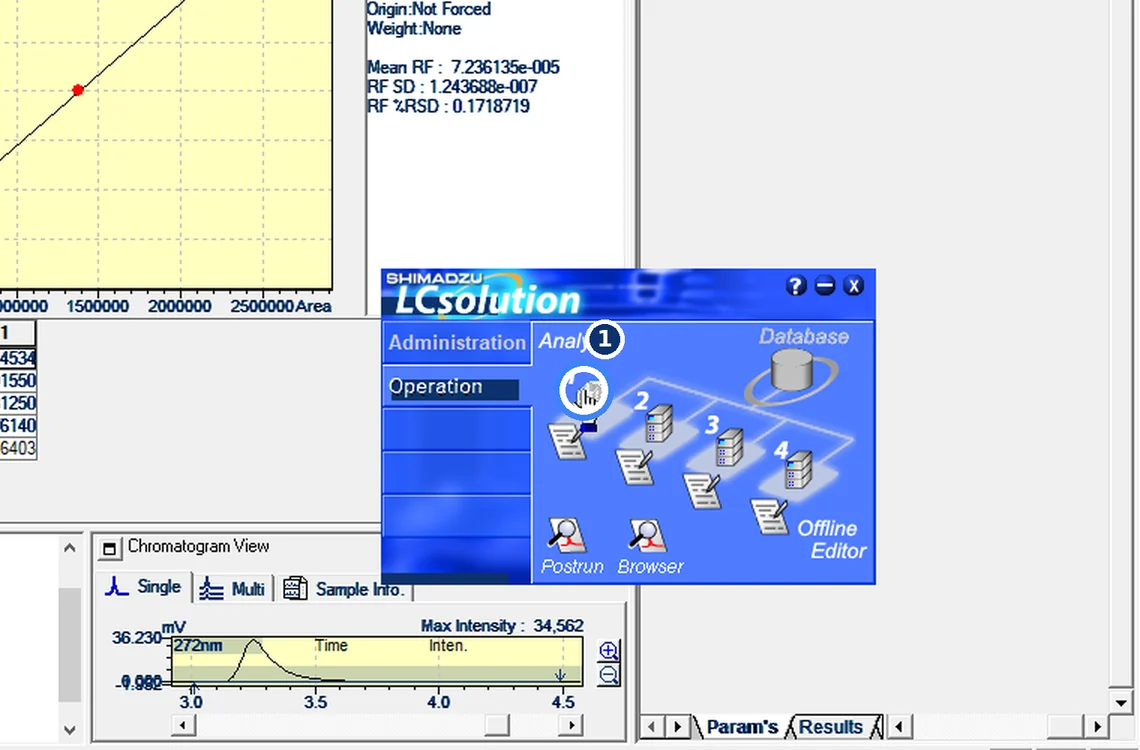
Fig. 7.1 — Start the instrument -
7.2
Read the error
[0361] Unable to initialize a connection to the instrument.
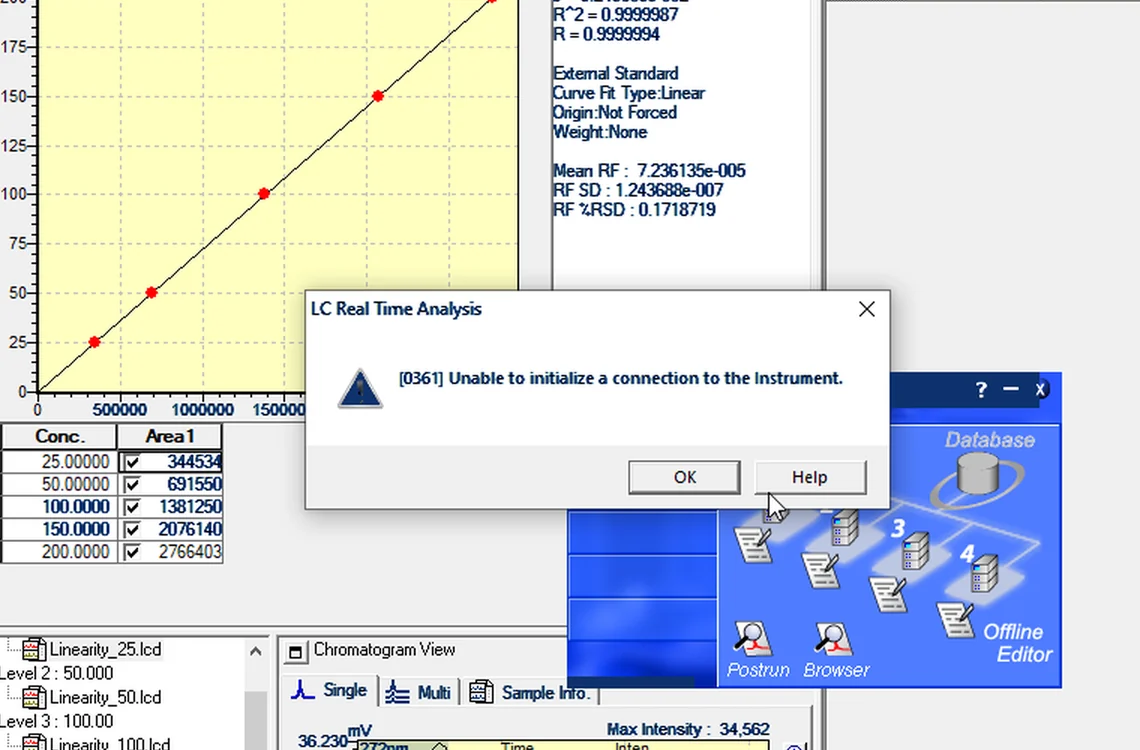
Fig. 7.2 — Read the error -
7.3
Note the follow-up message
[171a] — method hardware configuration differs; check the method after connecting.
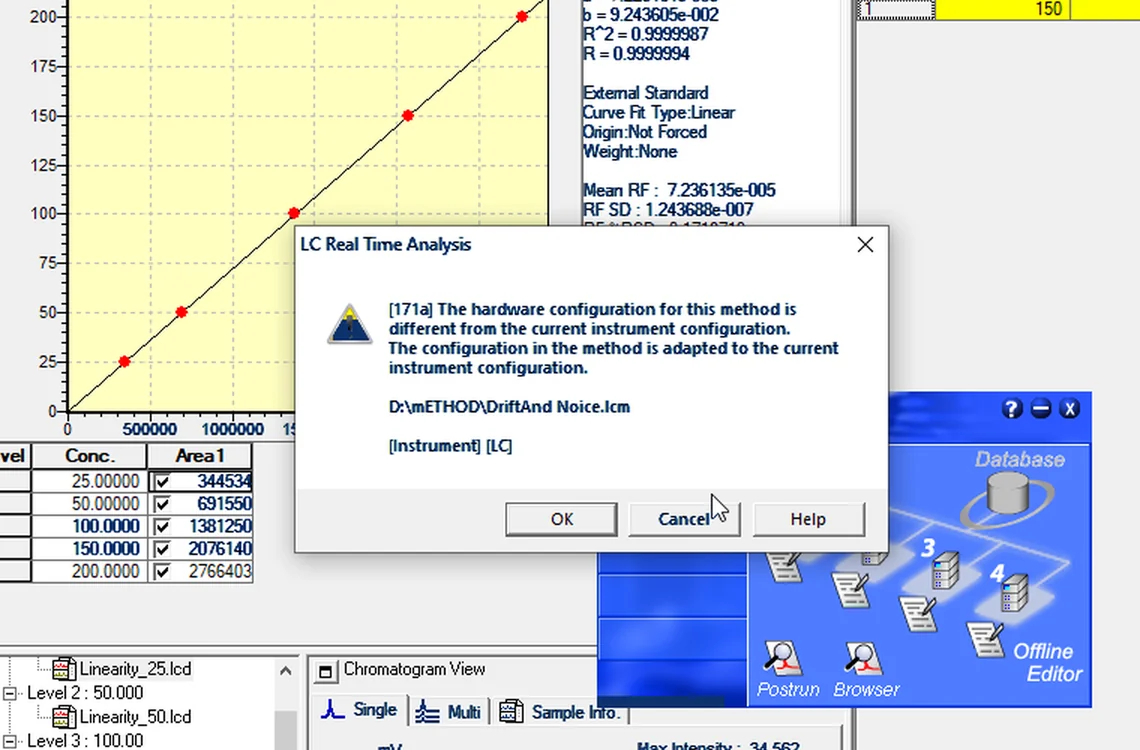
Fig. 7.3 — Note the follow-up message -
7.4
Confirm the status
The software opens with status LC: Not Connected.
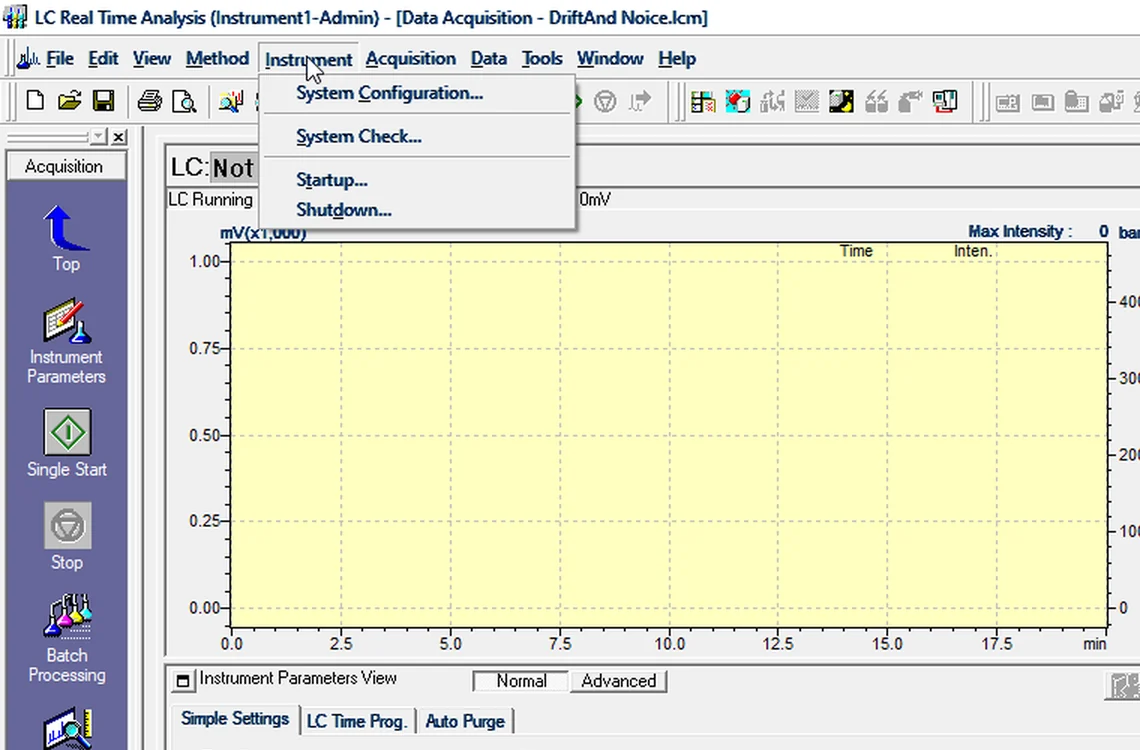
Fig. 7.4 — Confirm the status -
7.5
Open System Configuration
Instrument → System Configuration.
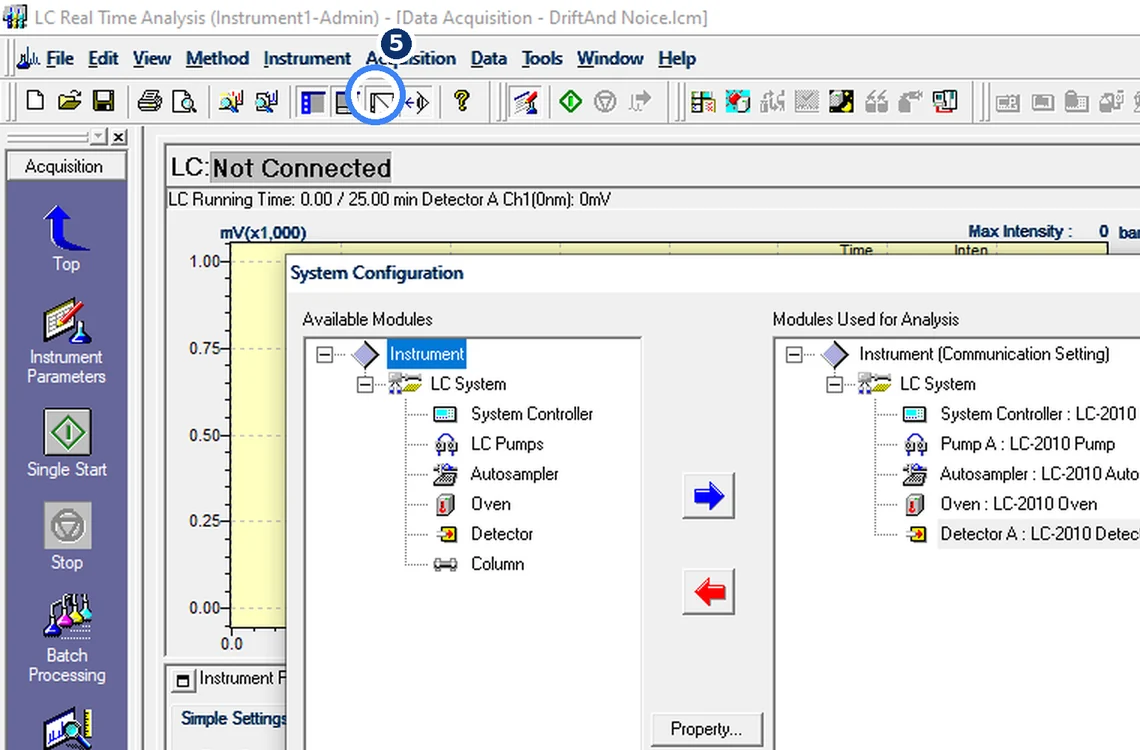
Fig. 7.5 — Open System Configuration -
7.6
Check the communication port
Communication Setting → Property: LC-2010, RS-232C, COM9 — must match Device Manager and stay within COM1–9.
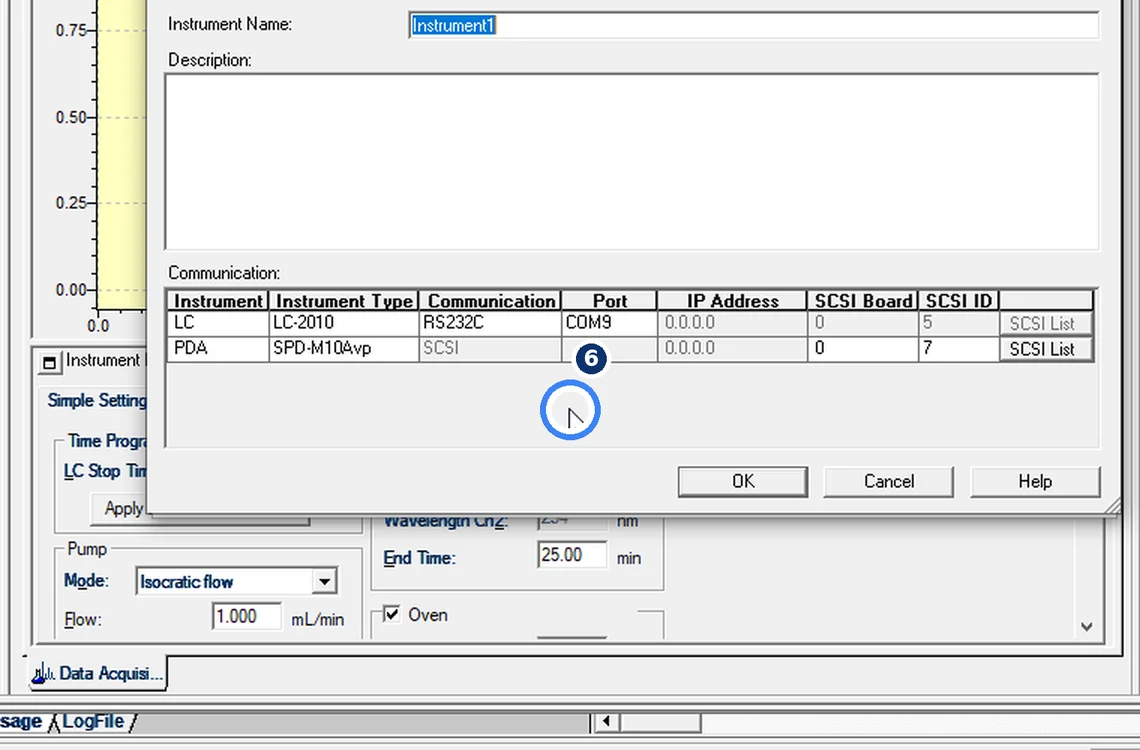
Fig. 7.6 — Check the communication port -
7.7
Still not connected?
Check in order: instrument power, null-modem (cross) cable, FTDI/CH340 USB-serial adapter (not Prolific), then restart LCsolution.
8Acceptance criteria and interpretation
- Instrument window opens with status LC: Ready (not "Not Connected") and no [0361] message.
9Troubleshooting and common errors
| Symptom | Cause and fix |
|---|---|
| COM number above 9 | Reassign the adapter to COM1–COM9 in Device Manager → Port Settings → Advanced. |
| Prolific adapter | Replace with FTDI or CH340 adapter; Prolific clones are a frequent cause. |
| [171a] method hardware differs | The method was made for another configuration. Open and re-save the method after connection. |
10References
- Shimadzu LCsolution Ver. 1.2x — Operation and Help documentation.
- USP <621> Chromatography.
- ICH Q2(R2) Validation of Analytical Procedures.
11Revision history
| Rev. | Date | Change |
|---|---|---|
| 00 | 30 October 2026 | First issue, written from the October 2026 screen recording. |
Frequently asked
What does LCsolution error 0361 mean?
LCsolution could not open communication with the instrument. Check power, the COM port in System Configuration against Device Manager (COM1–9), a null-modem cable and the USB-serial adapter.
Video version: LCsolution — Error 0361: no connection to the instrument? (October 2026) — on our Instagram and YouTube.
Related SOPs
Vision Analytical is an independent service provider, not affiliated with Shimadzu Corporation or Waters Corporation. LCsolution and Empower are trademarks of their respective owners. Screenshots are from our own demonstration systems with demonstration data. Last updated 30 October 2026.