
Home · SOP library · Shimadzu LCsolution
VA-SOP-LC-007 · Standard operating procedure
Building a multi-level calibration curve (linearity) in LCsolution and fixing zero area
SOP with screenshots: build a 5-level LCsolution calibration curve, fix zero area and identical levels, and read R squared and RF %RSD.
| SOP No. | VA-SOP-LC-007 |
|---|---|
| Revision | 00 |
| Effective date | 30 October 2026 |
| Review date | 30 October 2027 |
| Software | Shimadzu LCsolution 1.25 (Postrun Analysis), LC-2010 series HPLC |
1Purpose
To build a five-level external-standard calibration curve in LCsolution and to correct the two common faults: zero area and identical concentrations.
2Scope
Applies to LCsolution 1.2x Postrun Calibration Curve for linearity and quantitation.
3Responsibility
- Analyst — performs the procedure and records results.
- QC reviewer — verifies the output against the acceptance criteria.
- Lab in-charge / system administrator — controls method and report-format files and user rights.
4Definitions and abbreviations
| Level | One calibration point (concentration). |
|---|---|
| R squared | Coefficient of determination of the fitted line. |
| RF | Response factor = area / concentration. |
5Prerequisites and materials
- Linearity standard data files (e.g. 25, 50, 100, 150, 200 %).
- Method with the compound in the Compound Table.
6Safety and precautions
- Work on a copy of data and method files until the change is approved.
- Never delete or overwrite raw data (.lcd) to obtain a passing result; every change must be traceable.
- Follow the laboratory's data-integrity and audit-trail SOP when LCsolution security is enabled.
7Procedure
-
7.1
Open the calibration
Postrun → Calibration Curve: here all five levels show concentration 1.0000.
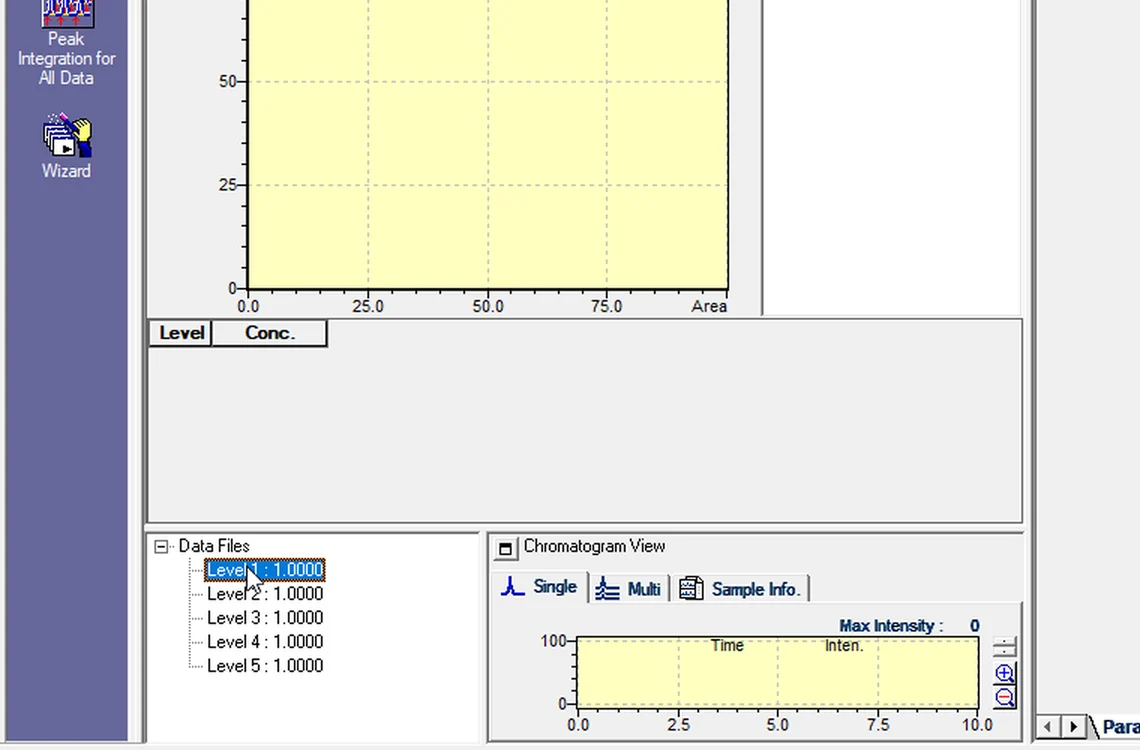
Fig. 7.1 — Open the calibration -
7.2
Add the standards
Right-click Level 1 → Add → select the 25 % standard; answer Yes to copy method information. Repeat for each level.
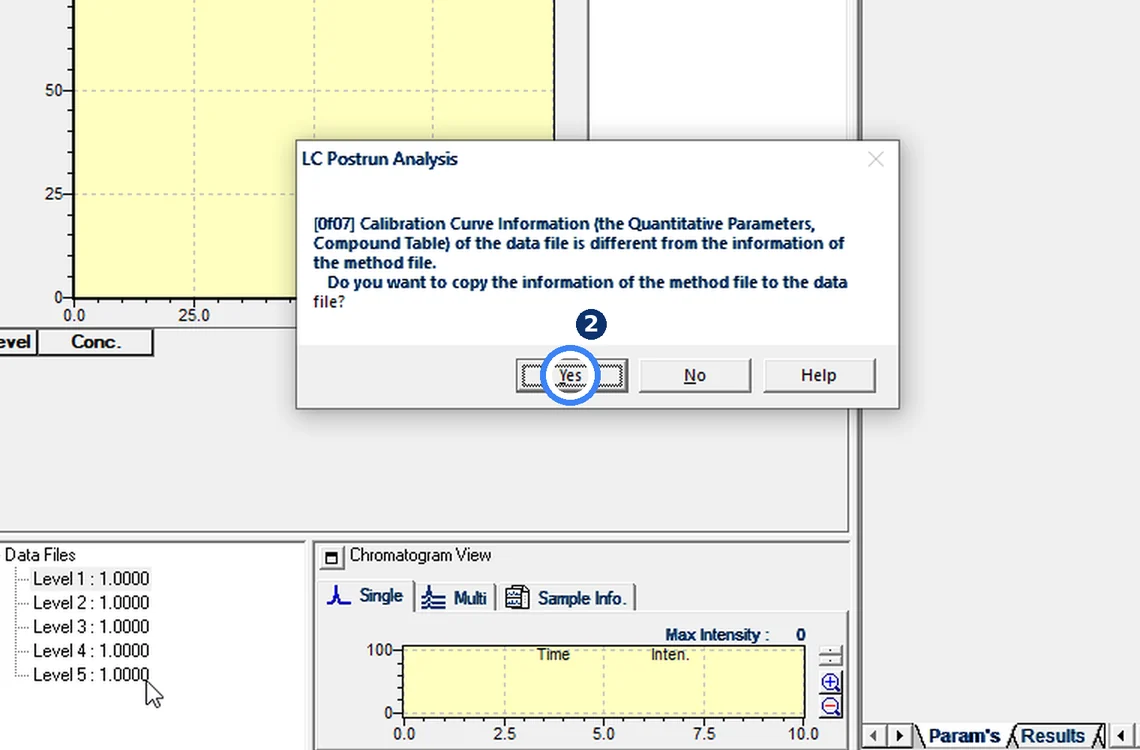
Fig. 7.2 — Add the standards -
7.3
Spot the zero-area fault
All levels filled, but Area = 0 and R squared = 0.
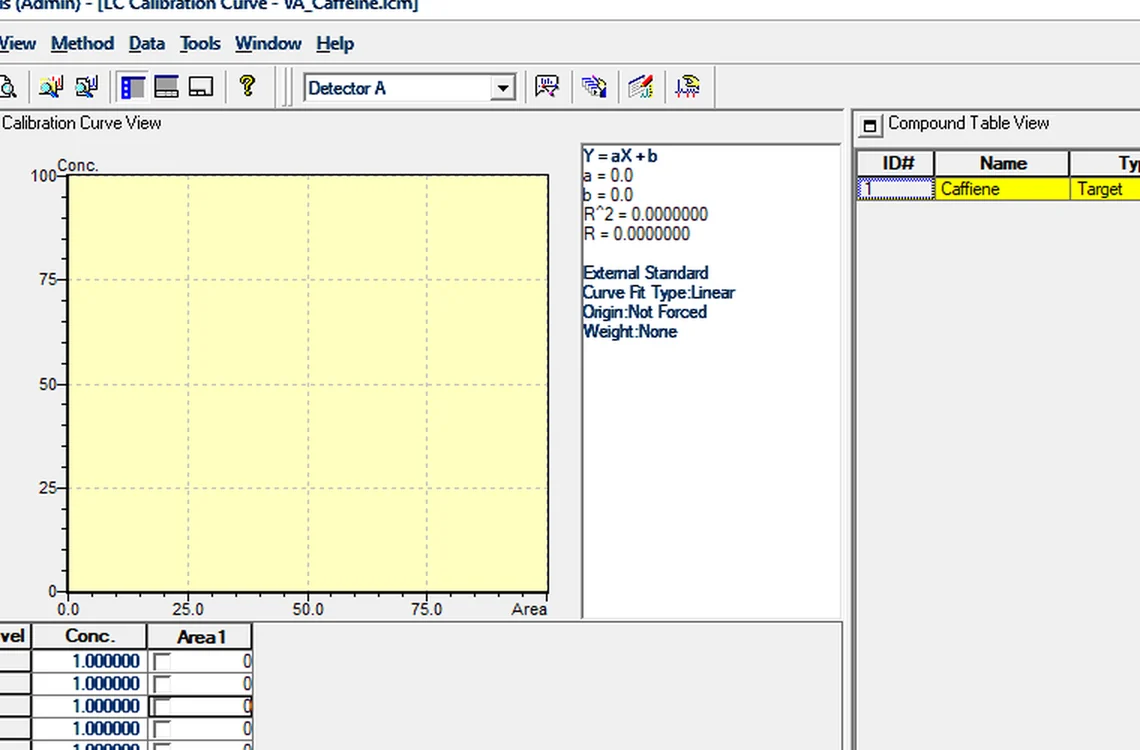
Fig. 7.3 — Spot the zero-area fault -
7.4
Find the actual RT
The standard peak elutes at 3.254 min; the Compound Table expects 2.278 min.
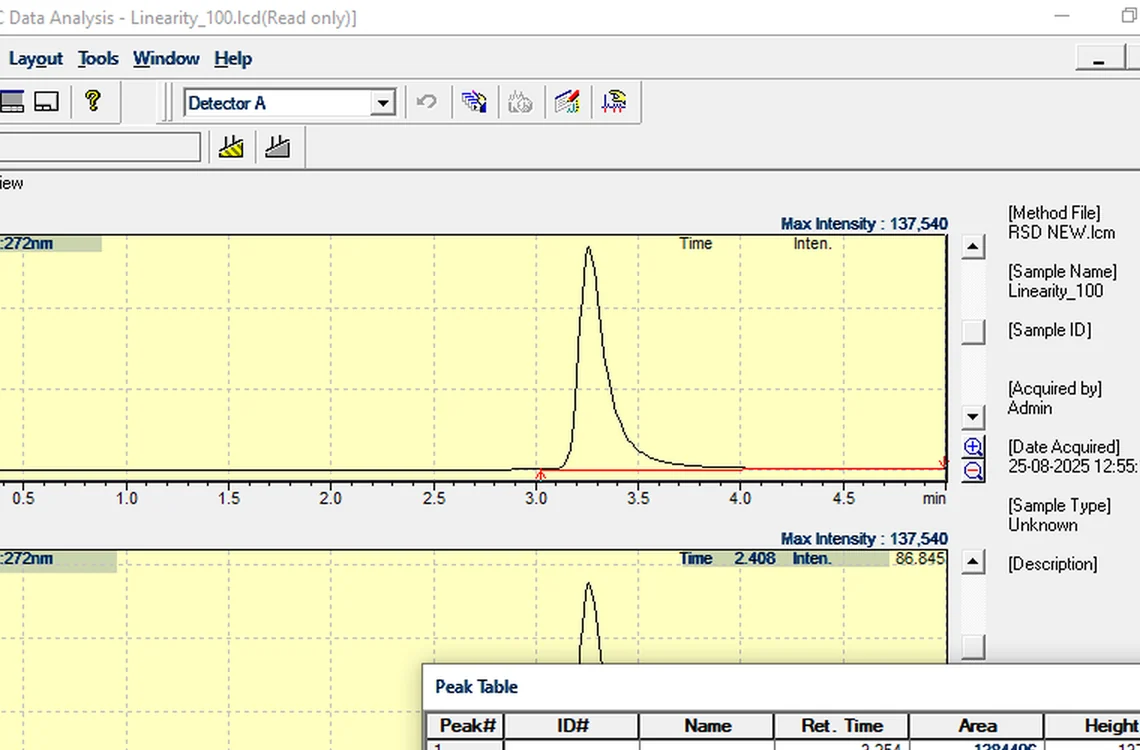
Fig. 7.4 — Find the actual RT -
7.5
Edit RT and concentrations
Compound Table → Edit: RT 3.254, concentrations 25 / 50 / 100 / 150 / 200.
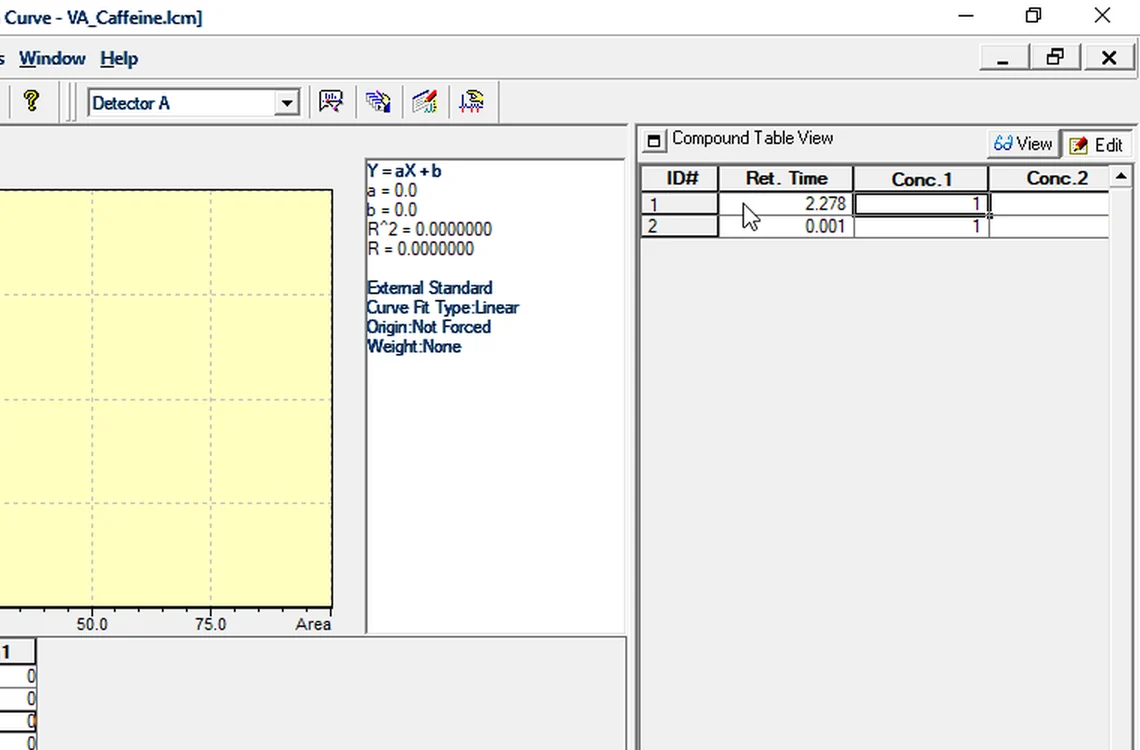
Fig. 7.5 — Edit RT and concentrations -
7.6
View the curve
Click View: five points on a straight line, R squared 0.9999987, RF %RSD 0.17 %.
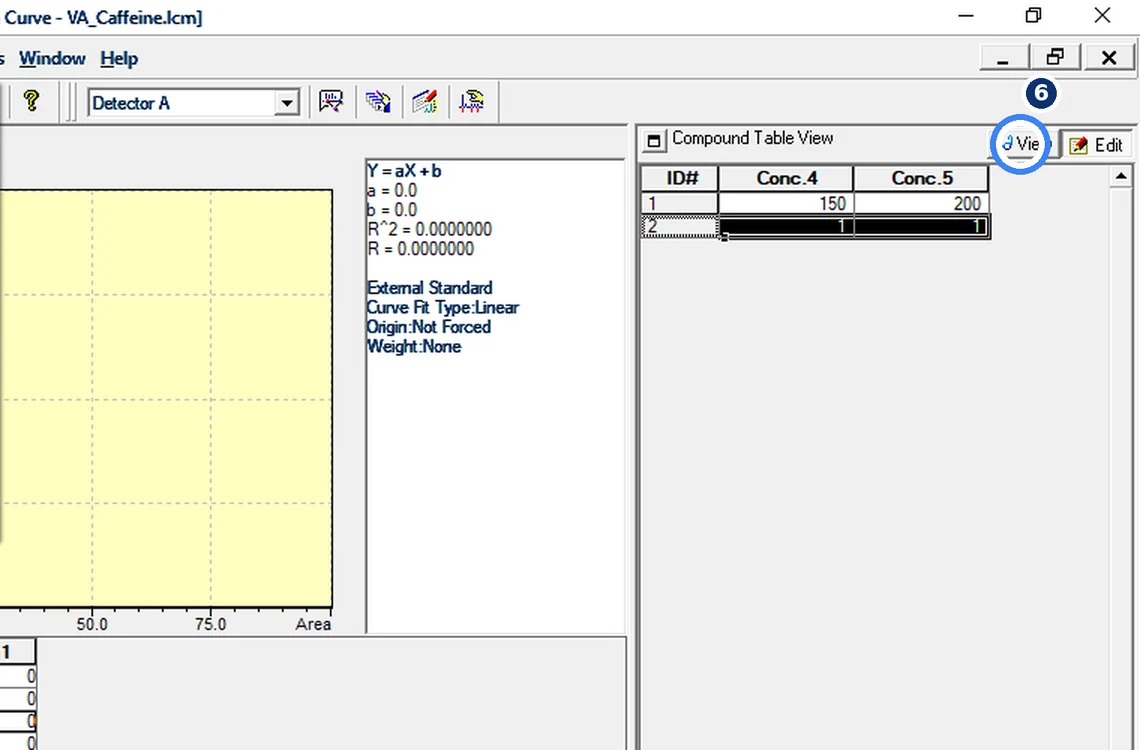
Fig. 7.6 — View the curve -
7.7
Save the method
File → Save Method As → VA_Caffeine_Cal.lcm.
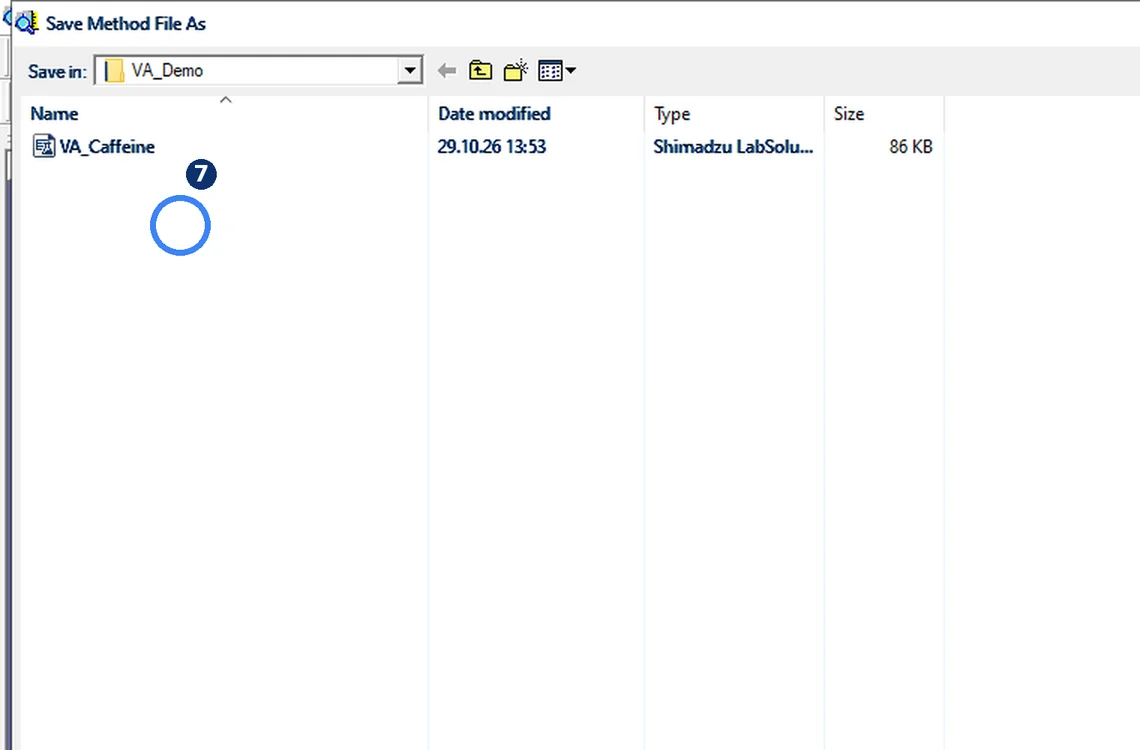
Fig. 7.7 — Save the method -
7.8
Two checks
Zero area → check retention time. Same levels → check concentrations.
8Acceptance criteria and interpretation
- Five levels with non-zero area; straight line with R squared >= 0.999 (typical; follow your method). Demonstration: R squared 0.9999987, RF %RSD 0.17 %.
9Troubleshooting and common errors
| Symptom | Cause and fix |
|---|---|
| Area = 0 at every level | Expected RT is wrong (peak at 3.254 min, table expects 2.278). Correct the RT in the Compound Table. |
| All levels at the same concentration | Concentrations were not entered per level. Edit the Compound Table: 25 / 50 / 100 / 150 / 200. |
10References
- Shimadzu LCsolution Ver. 1.2x — Operation and Help documentation.
- USP <621> Chromatography.
- ICH Q2(R2) Validation of Analytical Procedures.
11Revision history
| Rev. | Date | Change |
|---|---|---|
| 00 | 30 October 2026 | First issue, written from the October 2026 screen recording. |
Frequently asked
Why does my LCsolution calibration curve show zero area?
The standard peak is outside the identification window of the expected RT. Correct the RT in the Compound Table and view the curve again.
Video version: LCsolution — Calibration curve with zero area? (October 2026) — on our Instagram and YouTube.
Related SOPs
Vision Analytical is an independent service provider, not affiliated with Shimadzu Corporation or Waters Corporation. LCsolution and Empower are trademarks of their respective owners. Screenshots are from our own demonstration systems with demonstration data. Last updated 30 October 2026.