
Home · SOP library · Waters Empower 3
VA-SOP-EMP-003 · Standard operating procedure
Creating a sample set method (sequence) in Waters Empower 3
SOP with screenshots: build an Empower 3 sample set method — table columns, vial, injections, method set, sample names — and save it.
| SOP No. | VA-SOP-EMP-003 |
|---|---|
| Revision | 00 |
| Effective date | 30 October 2026 |
| Review date | 30 October 2027 |
| Software | Waters Empower 3 (Feature Release 3) |
1Purpose
To prepare and save a sample set method (injection sequence) in Empower 3 Run Samples.
2Scope
Applies to Empower 3 Run Samples → Samples tab.
3Responsibility
- Analyst — performs the procedure.
- QC reviewer — verifies output.
- Empower administrator — controls privileges, projects and method versions.
5Prerequisites and materials
- Method set created (VA-SOP-EMP-002).
- Vial positions and sample names known.
6Safety and precautions
- Work in a test project until the method is approved.
- Never delete or alter raw data; every change is recorded in the Empower audit trail with a reason.
7Procedure
-
7.1
Choose the columns
Samples tab → right-click the table → Table Properties → tick the columns you need.
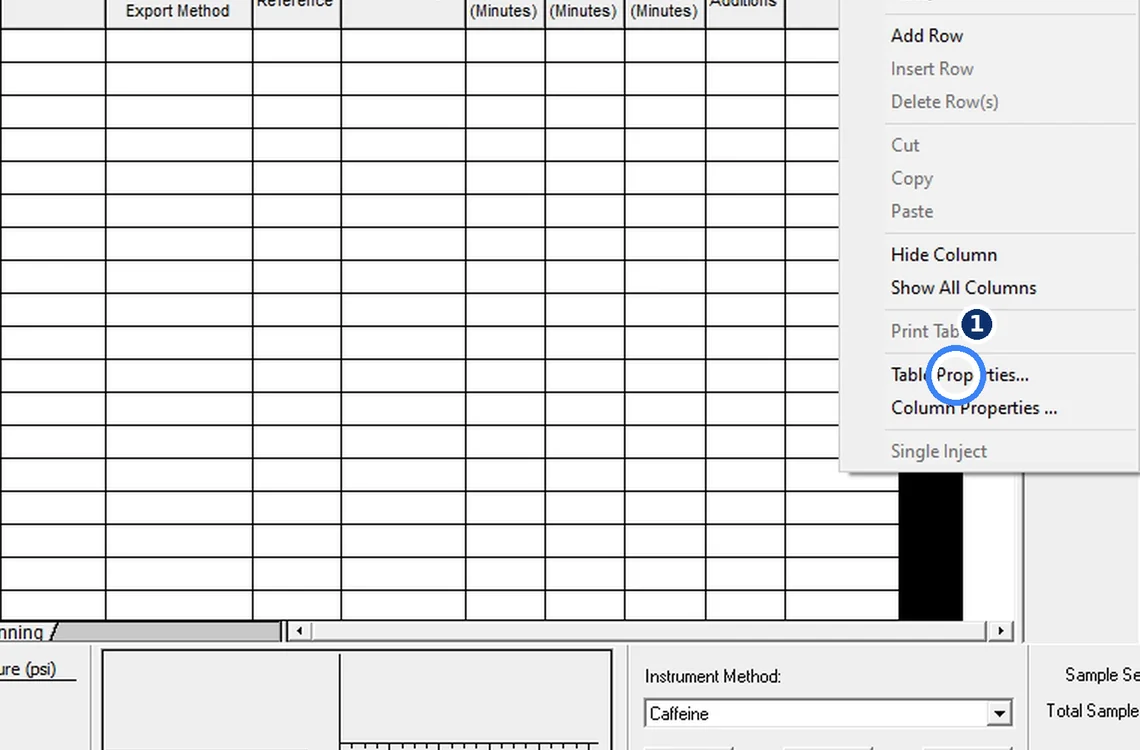
Fig. 7.1 — Choose the columns -
7.2
Add rows
Fill Vial, Inj Vol, # of Injs, Function Inject Samples, Method Set Caffeine.
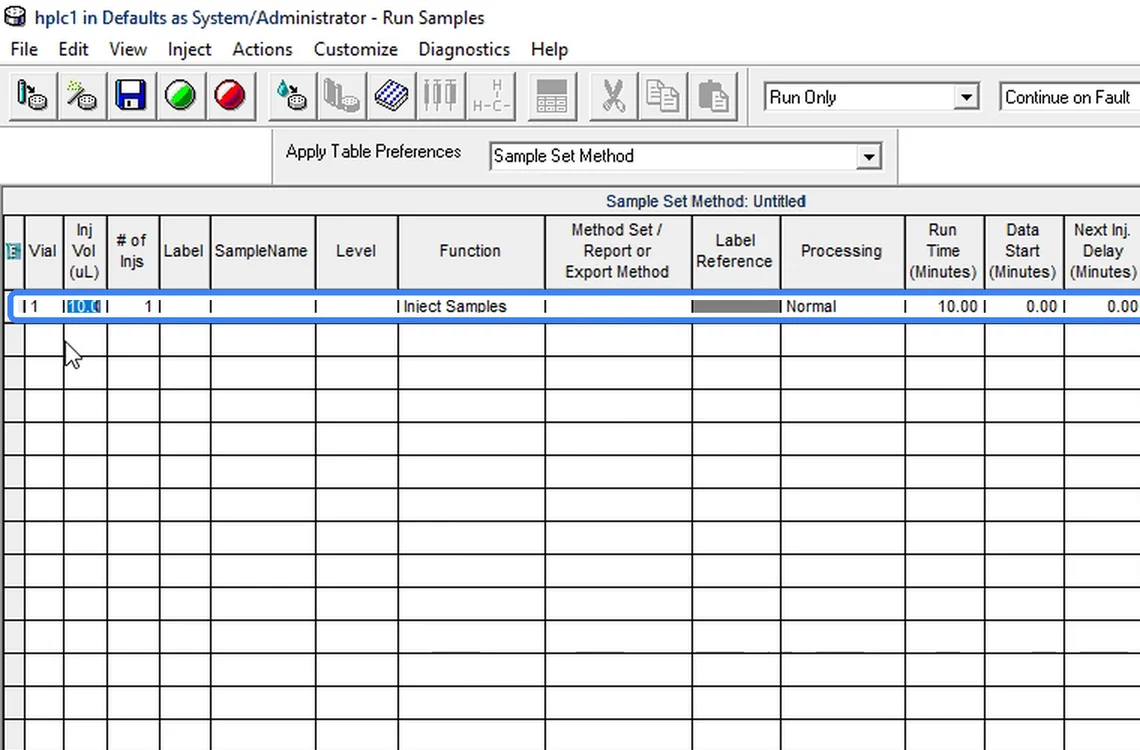
Fig. 7.2 — Add rows -
7.3
Type sample names
One name per row; keep names consistent so results group correctly.
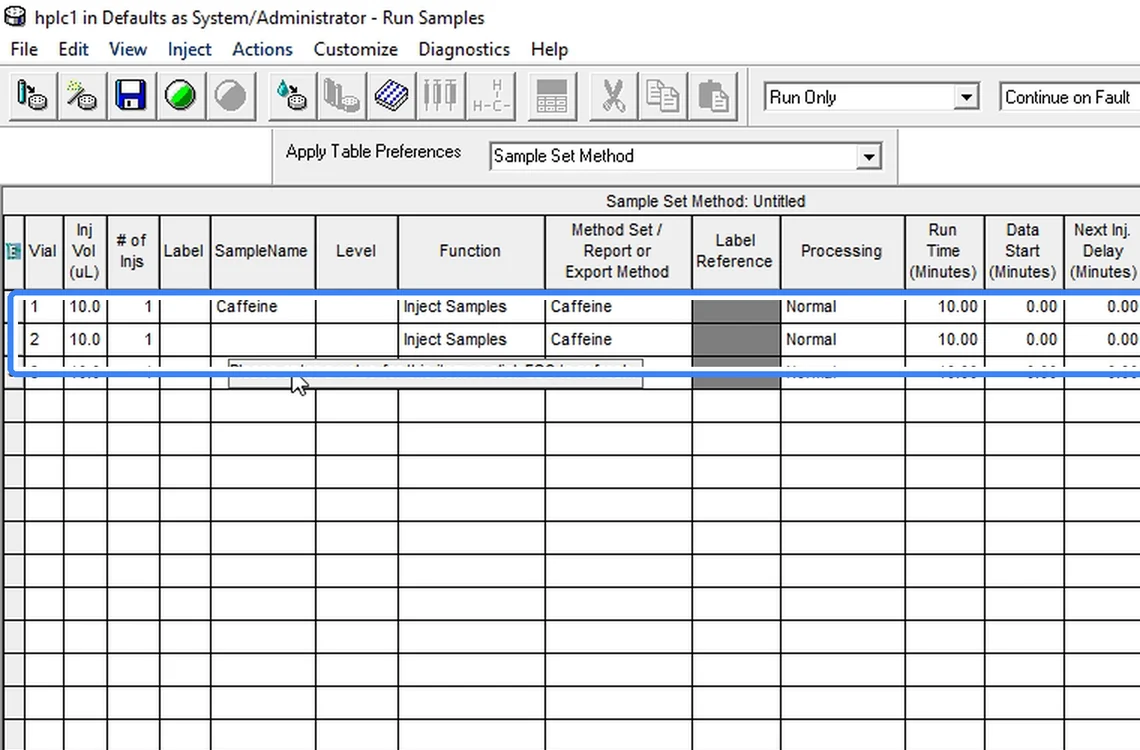
Fig. 7.3 — Type sample names -
7.4
Save the sample set method
File → Save Sample Set Method → give a clear name.
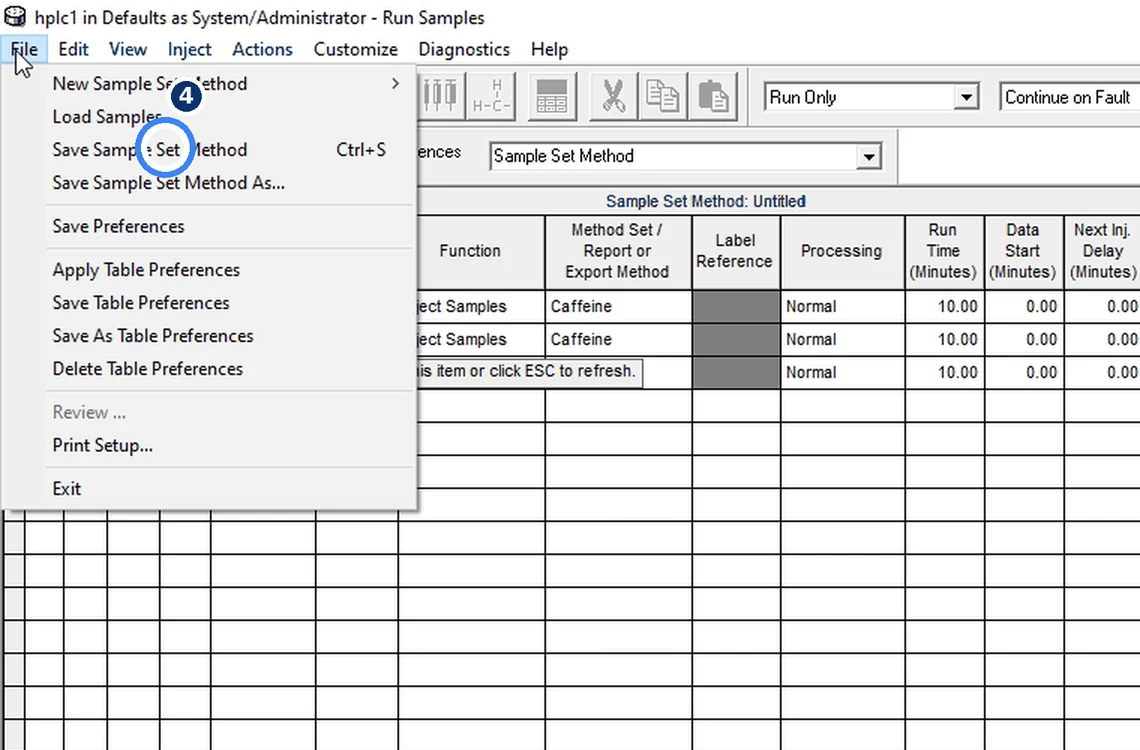
Fig. 7.4 — Save the sample set method
8Acceptance criteria and interpretation
- Every row has vial, injection volume, number of injections, function, method set and a unique sample name; sample set method saved.
9Troubleshooting and common errors
| Symptom | Cause and fix |
|---|---|
| "Please enter a value for this item" | A required cell is empty (usually Method Set or Function). Fill it or press Esc. |
10References
- Waters Empower 3 Software — online help.
- USP <621> Chromatography.
11Revision history
| Rev. | Date | Change |
|---|---|---|
| 00 | 30 October 2026 | First issue, written from the October 2026 screen recording. |
Frequently asked
How do I create a sequence in Empower 3?
In Run Samples open the Samples tab, add rows with vial, injection volume, function Inject Samples and the method set, type sample names, then File → Save Sample Set Method.
Video version: Empower 3 — sequence / sample set (owner demonstration, October 2026) — on our Instagram and YouTube.
Related SOPs
Vision Analytical is an independent service provider, not affiliated with Shimadzu Corporation or Waters Corporation. LCsolution and Empower are trademarks of their respective owners. Screenshots are from our own demonstration systems with demonstration data. Last updated 30 October 2026.