
Home · SOP library · Waters Empower 3
VA-SOP-EMP-002 · Standard operating procedure
Creating an instrument method and method set in Waters Empower 3
SOP with screenshots: create an Empower 3 instrument method (pump, flow, pressure limits, solvents) and a method set from Run Samples.
| SOP No. | VA-SOP-EMP-002 |
|---|---|
| Revision | 00 |
| Effective date | 30 October 2026 |
| Review date | 30 October 2027 |
| Software | Waters Empower 3 (Feature Release 3) |
1Purpose
To create and save an instrument method and a method set in Empower 3 for an Alliance/2690-type system with a UV/PDA detector.
2Scope
Applies to Empower 3 Run Samples → Instrument Method Editor and Method Set wizard.
3Responsibility
- Analyst — performs the procedure.
- QC reviewer — verifies output.
- Empower administrator — controls privileges, projects and method versions.
5Prerequisites and materials
- Empower user with method-creation privilege.
- Chromatographic conditions from the validated procedure.
6Safety and precautions
- Work in a test project until the method is approved.
- Never delete or alter raw data; every change is recorded in the Empower audit trail with a reason.
7Procedure
-
7.1
Open Run Samples
From the Empower start screen click Run Samples and select the system. Under Instrument Method click Edit.
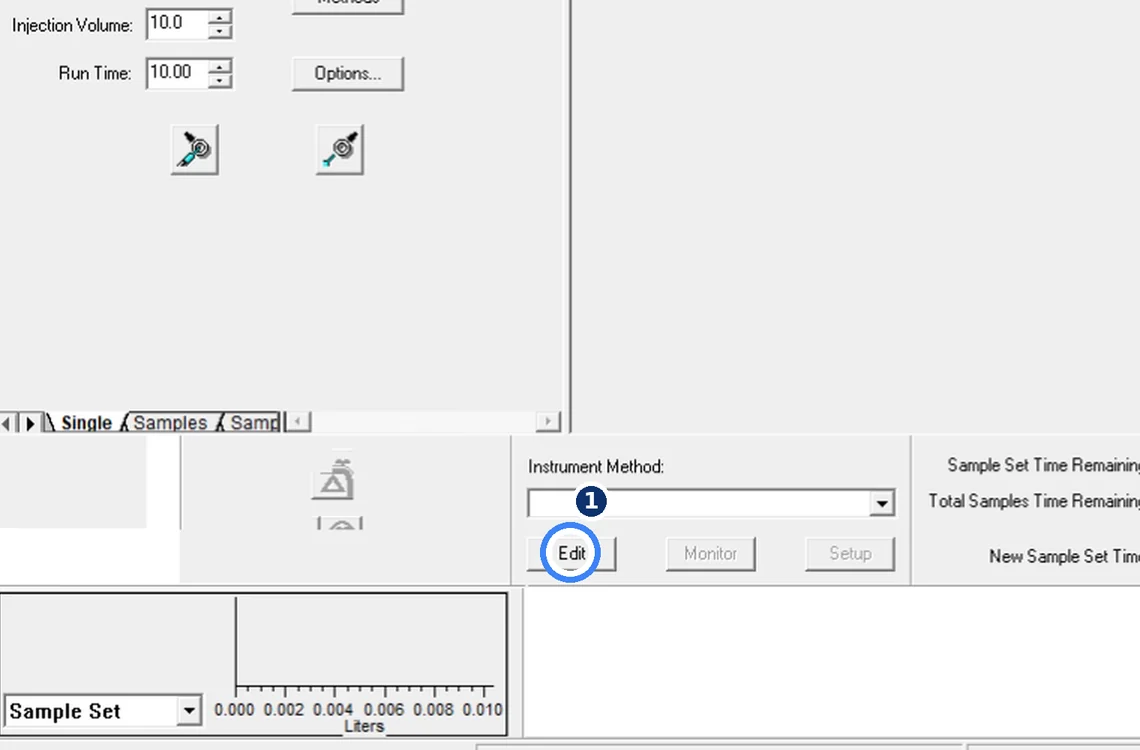
Fig. 7.1 — Open Run Samples -
7.2
Set pump flow and pressure limits
Instrument Method Editor → pump icon → Flow tab: High limit 5000 psi, Pump Mode Isocratic, Total Flow 1.000 mL/min.
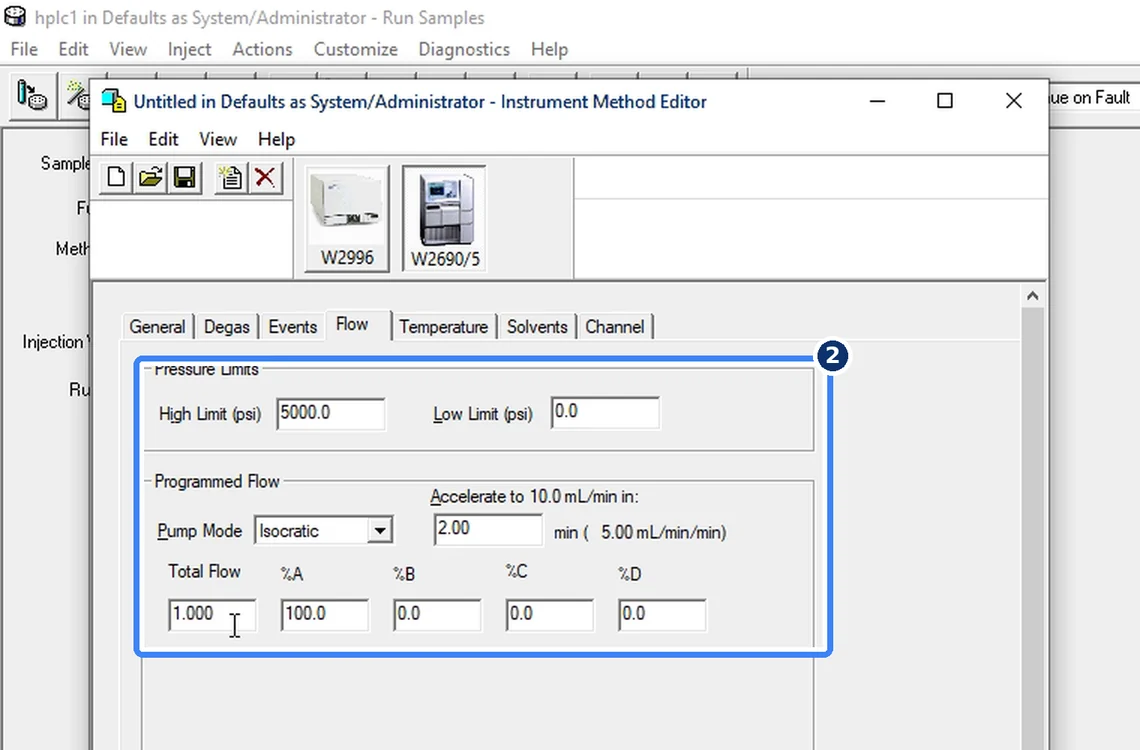
Fig. 7.2 — Set pump flow and pressure limits -
7.3
Name the solvents
Solvents tab: A = methanol, B = water, so the method is self-explanatory. Set column and sample temperature in the Temperature tab.
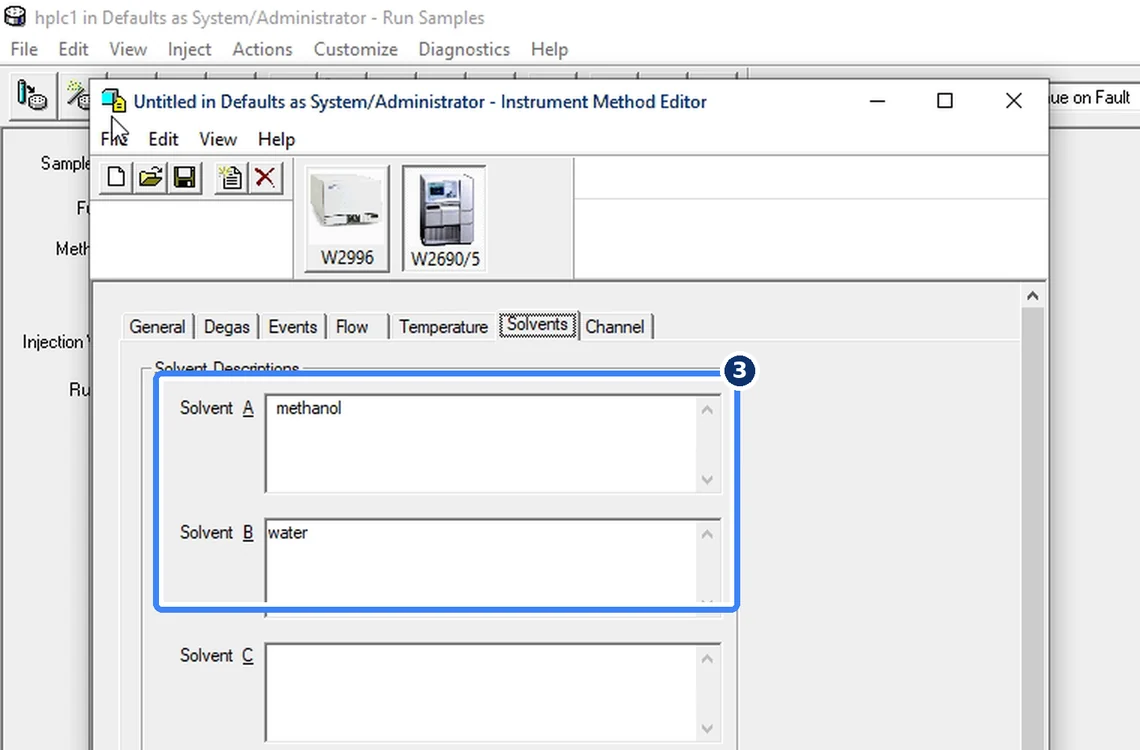
Fig. 7.3 — Name the solvents -
7.4
Save the instrument method
File → Save As → name Caffeine. The title bar shows the new name.
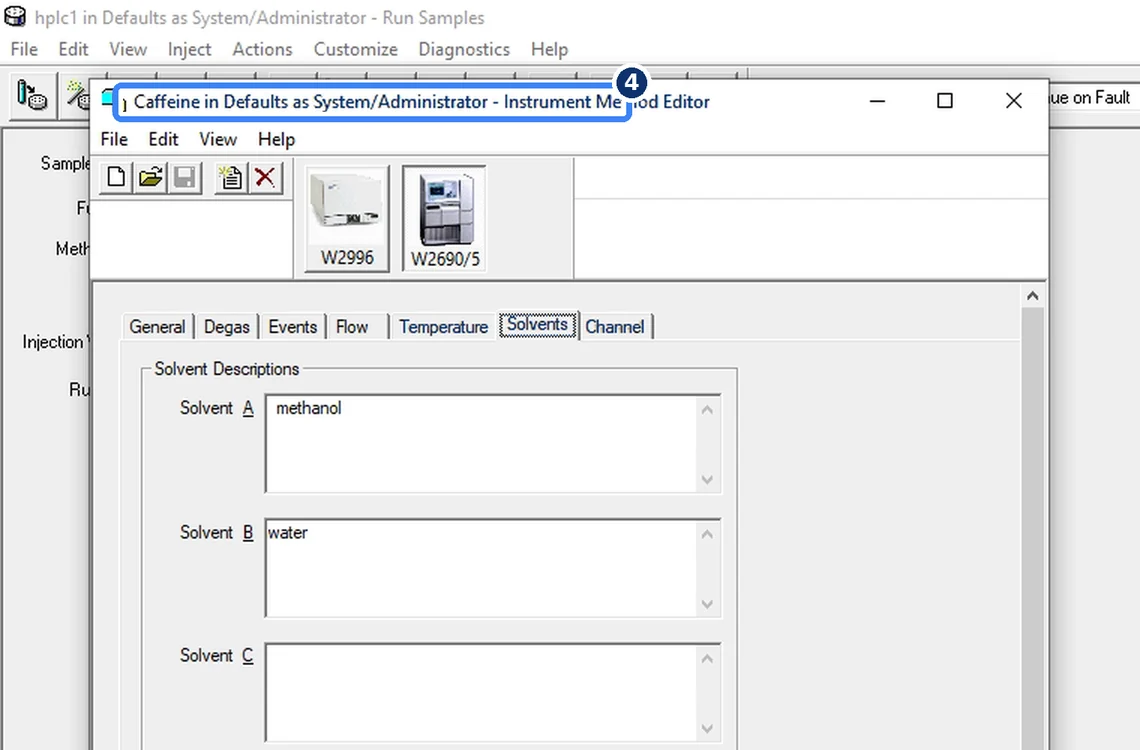
Fig. 7.4 — Save the instrument method -
7.5
Create the method set
Run the Method Set wizard: choose the instrument method, name the method set, Finish. It appears in the Method Set list, ready to run.
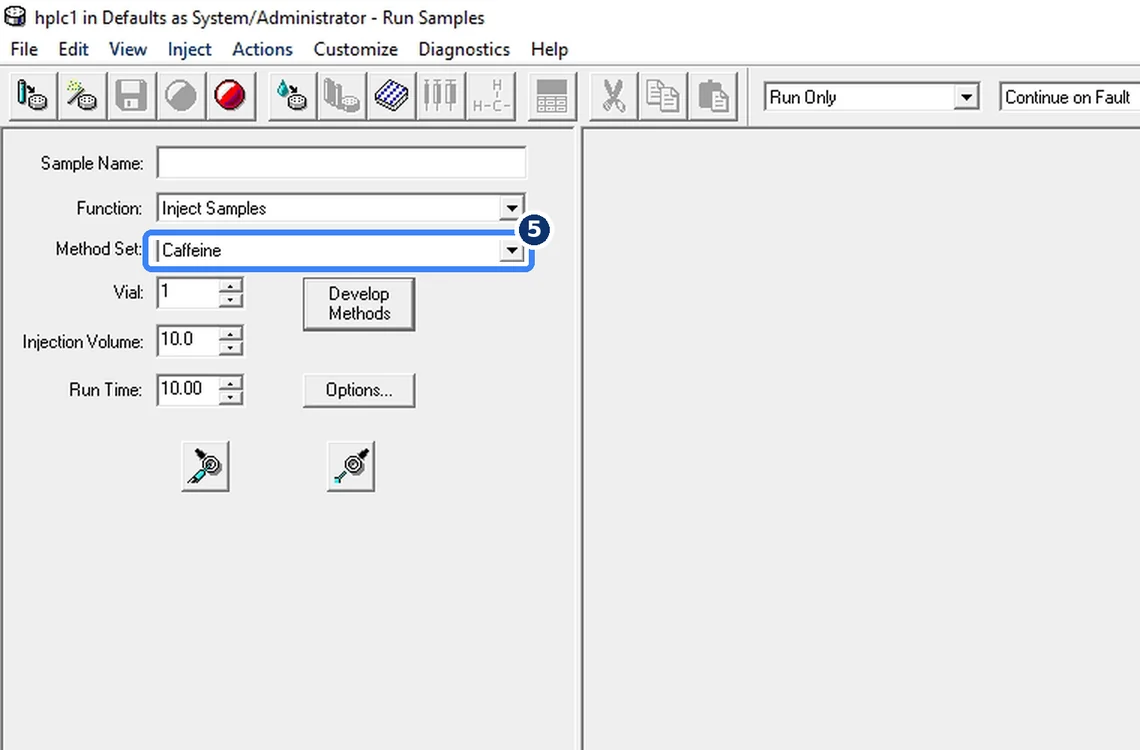
Fig. 7.5 — Create the method set
8Acceptance criteria and interpretation
- Method set appears in the Method Set list of Run Samples and opens without errors.
9Troubleshooting and common errors
| Symptom | Cause and fix |
|---|---|
| Instrument icons missing in the editor | The chromatographic system is not configured/online. Check the system in Configuration Manager. |
10References
- Waters Empower 3 Software — online help.
- USP <621> Chromatography.
11Revision history
| Rev. | Date | Change |
|---|---|---|
| 00 | 30 October 2026 | First issue, written from the October 2026 screen recording. |
Frequently asked
What is a method set in Empower?
A method set links the instrument method with processing and report methods so a sample set can run and process in one step.
Video version: Empower 3 — instrument method (owner demonstration, October 2026) — on our Instagram and YouTube.
Related SOPs
Vision Analytical is an independent service provider, not affiliated with Shimadzu Corporation or Waters Corporation. LCsolution and Empower are trademarks of their respective owners. Screenshots are from our own demonstration systems with demonstration data. Last updated 30 October 2026.